
AI Image Generation: Real-World Use Cases That Actually Work
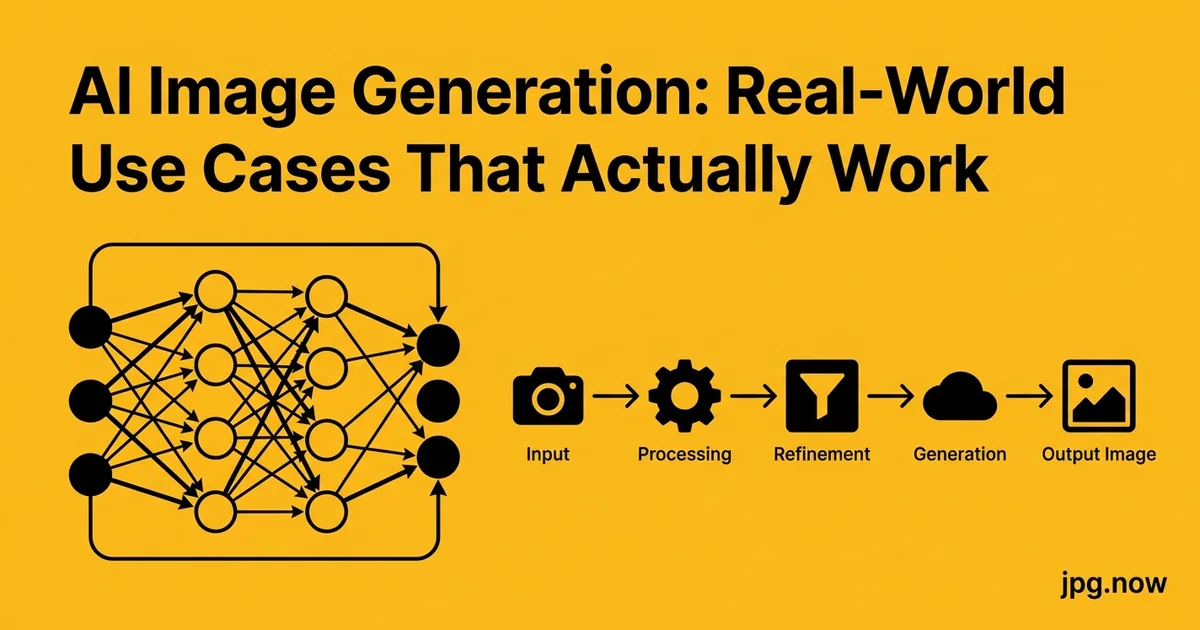
It is Monday morning. You have a marketing meeting at 10 AM. You need a hero image for the new product launch blog by 4 PM. Stock photography sites all show the same generic shot of "people pointing at laptop in modern office," which is exactly what your competitor used last month. Custom illustration is $400 and takes a week. Your designer is on vacation. So you open Midjourney, type your prompt, generate 16 variations, pick the one that fits your brand, and ship it by lunch. The Midjourney showcase looks like an art gallery. Your actual job looks like the example above, repeated weekly.
The Midjourney showcase looks like an art gallery. Your actual job looks like a blog that needs a hero image by 4 PM, a product mockup for an executive deck, and a social header that does not look like the same stock photo every competitor used last quarter. AI image generation has gotten useful for boring work. This guide walks through the real use cases where it pays for itself, the prompt patterns that produce usable results, and the production pipeline that turns generated images into shipped deliverables.
Background: how AI image gen became a daily tool
DALL-E launched in 2021 as a research preview. Midjourney went public beta in 2022. Stable Diffusion open-sourced the entire model in late 2022. By 2024, every major creative tool (Photoshop, Canva, Figma) had built-in generation, and pricing settled at $10-$60/month for professional access. By 2026, the technology has matured enough that the question is no longer "can it do this?" but "is it worth the workflow overhead?"
For high-volume, low-stakes visual content (blog headers, social posts, internal decks), the answer is almost always yes. For brand-critical, high-stakes content (logos, key product imagery), the answer is usually no. The middle ground is where the strategy decision matters.
The five use cases where AI image gen genuinely works
- Blog hero images: Single illustration per article, low stakes if imperfect, can iterate until it matches the tone.
- Social headers and OG cards: Need to be on-brand and visually distinct from competitors' stock photography.
- Product mockup backgrounds: Place your real product on an AI-generated lifestyle scene.
- Internal presentation decks: Section dividers, slide backgrounds, conceptual illustrations.
- Email newsletter art: Weekly headers that would otherwise be expensive custom illustration.
What unites these: low cost of being slightly imperfect, high cost of using the same stock image as everyone else, and a need for consistent style across a series.
Step-by-step: from prompt to shipped image
- Define the destination first. Aspect ratio, dimensions, where it will appear. Use the aspect ratio calculator.
- Draft the prompt with structure. Subject, action, environment, style, lighting, composition.
- Generate 4 variations. Plan for 1-in-4 keeper rate.
- Pick the strongest and iterate. Variation, inpainting, or new prompt.
- Upscale if needed. Use the AI upscaler to push 1024px output to 2048-4096px for print or hero use.
- Edit in your photo editor. The photo editor handles final crops, color adjustments, and text overlays.
- Convert to delivery format. Use the PNG to JPG converter for web delivery, image compressor for size.
- Archive prompt and seed. Reproducibility for future variants and series consistency.
Aspect ratios and composition planning
Different destinations need different aspect ratios. Blog hero is typically 16:9 or 2:1. OG cards are 1.91:1. YouTube thumbnails are 16:9 (1280x720). Instagram is 1:1 or 4:5. Plan the destination aspect upfront so the AI does not center the subject in a way that crops badly at delivery.
Where AI still fails reliably
Anything with hands holding small objects. Text inside the image (logos, signs, labels: they all come out as gibberish letters). Faces that need to match a specific person. Brand-specific products. Anatomically correct sports or surgical scenes. Anything photorealistic where the client will notice that the wedding ring has six prongs.
For these cases, the cheaper-faster workflow is still stock photography, custom illustration, or actual photography.
The prompt patterns that produce usable results
Effective prompts share a structure: subject, action, environment, style, lighting, composition. For a blog hero on cloud computing:
"A minimalist data center interior with abstract cloud formations, soft blue and white lighting, isometric perspective, flat illustration style, clean composition with negative space on the right for headline overlay, 16:9 aspect ratio."
The "negative space on the right for headline overlay" matters. Without it, the model centers the subject and your text overlay has nowhere to go. Use the aspect ratio calculator to plan the dimensions before generating, especially for OG cards (1.91:1) and YouTube thumbnails (16:9).
Negative prompts and exclusion language
Modern AI generators support negative prompts: phrases that tell the model what NOT to include. "No people, no text, no logos, no realistic photography" steers the output away from common failure modes. Midjourney uses --no flags; Stable Diffusion uses a dedicated negative-prompt field; DALL-E accepts natural-language exclusions in the main prompt.
Negative prompts are particularly useful for avoiding the AI defaults that creep in: stock-photo people in business attire, generic warm color grading, centered compositions. Specify what you want and what you do not.
Iterative prompt refinement
The first generation rarely lands. Plan for 3-4 prompt iterations before getting an image worth shipping. After each generation, evaluate what worked and what missed: composition, style, lighting, subject prominence. Adjust the prompt one variable at a time. Changing five things at once produces unpredictable results; changing one variable per iteration teaches you what each phrase actually does.
Keep a "prompt journal" alongside generations. Note which phrases produced which effects. After a month of journal entries, you build a personal vocabulary of language-to-image mappings that dramatically improves first-generation quality.
Style consistency across a series
The hardest part of AI image gen for content is not generating one good image. It is generating 20 images that look like they belong together. Two techniques:
Style reference: Most modern tools (Midjourney v6, DALL-E 3, jpg.now's image creator) accept a reference image. Generate one image you like, then feed it as a style reference for all subsequent generations in the series.
Prompt template: Lock 70 percent of the prompt: style, lighting, composition language; and only swap the subject. "[Subject] in [environment], soft blue and white lighting, isometric flat illustration, clean composition" produces a coherent series across 20 different subjects.
AI image gen tool comparison
| Tool | Strengths | Pricing | Best for |
|---|---|---|---|
| Midjourney v6 | Best aesthetic quality, strong style control | $10-$60/month | Artistic/illustrative work |
| DALL-E 3 (via ChatGPT) | Best prompt understanding, generates text correctly | $20/month w/ ChatGPT Plus | Diagrams, infographics |
| Stable Diffusion XL | Open source, customizable, runs locally | Free | Self-hosted, automation |
| Adobe Firefly | Commercial-safe training data, Photoshop integration | Included in CC subscription | Commercial work with IP concerns |
| jpg.now image creator | Free, browser-based, no signup | Free | Quick experiments, blog images |
| Flux Pro | Best photorealism, hands | Per-image API | Product mockups, lifestyle |
Resolution: generate high, deliver smart
Modern AI image generators produce 1024x1024 to 2048x2048 outputs natively. For most web use, that is sufficient. For print, large format, or anything that may be enlarged, upscale to 4x using a dedicated upscaler. The AI upscaler handles AI-generated images well because the source has clean edges and minimal noise.
For social and web delivery, downsize and compress. A 2048x2048 PNG straight from DALL-E is 4 to 6 MB; running it through the image compressor at quality 85 drops to 250 to 400 KB without visible loss on a phone screen.
Real-world AI image gen examples
Tech blog hero images. A SaaS company publishes 8 blog posts per month. Each gets an AI-generated hero in a consistent flat-illustration style. Total time per image: 15 minutes. Total cost: $30/month for Midjourney. Previously: $400 per custom illustration, or generic stock photos.
E-commerce lifestyle mockups. A small candle company photographs their products on white, removes the background with the background remover, composites onto AI-generated kitchen scenes. Result: 50 lifestyle product images for under $100 total, used across the website and social.
Internal presentation deck illustrations. A consultancy generates section divider images and conceptual illustrations for client decks. Each deck previously took 2 hours in icon-stock libraries; now 30 minutes with AI gen.
Composition language in prompts
Composition terms steer AI generators more reliably than subject descriptions alone. Useful phrases: "rule of thirds," "centered subject with symmetric framing," "wide aspect with negative space on the right," "low angle," "Dutch tilt," "overhead flat-lay." Combine 2-3 composition terms per prompt for predictable framing.
Avoid contradictory terms in the same prompt ("close-up wide shot" produces incoherent output). The model resolves contradictions arbitrarily, often choosing the dominant phrase from training data rather than synthesizing both.
The product-mockup workflow
You sell a physical product. You need lifestyle photography for your storefront, ads, and social. Stock photography is generic; real photography is expensive. The hybrid workflow:
- Generate a scene in your style of choice (kitchen, desk, outdoor table).
- Photograph your product on a plain white background.
- Remove the background using the background remover.
- Composite the cutout product onto the AI scene in your photo editor.
- Color-grade the composite to unify lighting between the real product and AI scene.
The result is on-brand lifestyle photography at AI prices, with a real product that does not have AI-hallucinated logos or wrong-shape packaging.
The PNG-to-JPG question for AI output
Most AI generators output PNG. For web delivery, JPG is usually 60 to 80 percent smaller at indistinguishable quality. Convert finished pieces with the PNG to JPG converter and serve the JPG variant; keep the PNG master if you ever need to re-composite. For modern web (Chrome, Safari 16+), the JPG to WebP path delivers another 30% size reduction.
Common AI image gen mistakes
- Vague prompts. "Cool tech illustration" generates noise. Structured prompts generate usable art.
- Trying to nail it on the first generation. Plan for 4 generations per keeper. The 75% rejection rate is expected.
- Ignoring aspect ratio. 1:1 default does not fit a 16:9 hero slot. Specify upfront.
- Hand-drawn text in the prompt. Almost always gibberish. Add text in Photoshop or Canva after generation.
- Not archiving prompts. A great prompt is reusable; lost prompts are gone forever.
- Skipping commercial-use verification. Each tool has different licensing. Confirm before using in paid work.
Cost reality in 2026
A Midjourney subscription runs $10 to $60 per month. DALL-E via ChatGPT Plus is $20 per month with 50 image generations per day. Generating 20 hero images costs less than a single stock photo subscription. For agencies producing 100+ images per month, the cost calculus has shifted dramatically toward in-house AI generation.
Quality control: the 1-in-4 rule
Plan to generate 4 images for every 1 you keep. The 75 percent rejection rate is not failure. It is the cost of getting one good output. Build the workflow around it: 4 generations, 1 keeper, 1 round of editing, ship. Trying to nail it on the first generation makes you spend twice as long writing prompts.
Advanced AI image gen tips
- Use seed values for reproducibility. A successful generation can be re-rolled with small tweaks while keeping the composition.
- Combine generations with photoshop manipulation. The AI gets you 80% there; the editor takes you to 100%.
- Generate in multiple aspect ratios at once. Same prompt, different aspect parameters, fills hero/square/banner needs in parallel.
- Maintain a prompt library. Successful prompts are reusable templates. Build a Notion or Airtable archive.
- Use control modes for layout. ControlNet, Midjourney's reference image, and DALL-E's inpainting all preserve composition while varying style.
- Iterate variations on a successful generation. Variation modes produce similar-but-different outputs faster than re-prompting.
- Soft-prompt for tone. "Editorial photography style" or "vintage gouache illustration" sets an entire aesthetic without specifying every detail.
Where humans still win
Brand consistency across hundreds of touchpoints, photography of specific people and places, illustration with a specific artist's voice, anything where the wrong-ness of AI output is itself the story (like an article on AI failure modes). For these, hire a human and pay for the time.
FAQ
Is AI-generated imagery legal to use commercially?
Tool-dependent. Midjourney's Pro plan, Adobe Firefly, and DALL-E (via paid OpenAI APIs) explicitly grant commercial rights. Free tiers may have restrictions. Verify the terms for your specific tier.
Can I use AI to generate images of real people?
Technically possible, legally fraught. Use original photography for real people. Use AI for generic faces or for product/scene work.
What about copyright on AI training data?
Active legal area in 2026. Adobe Firefly trained exclusively on licensed content and offers indemnification. Other tools have more open data sources and corresponding legal risk. Pick the tool that matches your risk tolerance.
How do I avoid the "AI look" that gives away the source?
Specify a specific style (editorial photography, gouache illustration, vintage poster) rather than letting the tool default. Then edit in Photoshop to add real-world texture, grain, and asymmetry.
Can AI generate brand-consistent images?
With effort. Use style references, lock prompt templates, and post-process for brand colors with the color palette tool. Even so, you will hand-pick the best 1-in-4 to maintain quality.
How long does AI image gen take?
5 to 60 seconds per generation depending on tool and load. A full prompt-to-shipped image workflow takes 10 to 20 minutes including editing.
What is the best free AI image generator?
jpg.now's image creator for browser-based no-signup use. Stable Diffusion (locally or via free web UIs) for unlimited use. Microsoft Designer for free DALL-E 3 access (with daily limits).
Disclosure and ethics in AI-generated content
The expectation around disclosure varies by industry. Journalism and editorial demand explicit disclosure ("Illustration: AI-generated by Midjourney"). Marketing and advertising have no consistent norm yet but several major brands now disclose voluntarily. Internal corporate use rarely discloses. Pick your stance and document it in your style guide, then apply consistently.
For content where AI use would mislead the audience (news photography of real events, product photography of physical SKUs), AI is the wrong tool entirely. Use real photography or licensed stock.
Style transfer for brand-aligned variations
Once you have one image that matches your brand, style-transfer techniques (Midjourney's --sref, Stable Diffusion's IP-Adapter, jpg.now's image creator) generate variations that maintain the established aesthetic. Build your "brand style reference" once: one perfect image. Every subsequent generation feeds the reference. The result: 20 visually coherent images instead of 20 random outputs.
Building a prompt library for your team
For agencies and marketing teams, share working prompts in a centralized prompt library. Notion, Airtable, or a shared markdown doc all work. Each entry: the prompt text, a thumbnail of the output, the destination use case, the tool used. Six months later, the library is a productivity asset. New team members ramp up in days rather than weeks.
Generate three images this week
Pick a blog post you have been meaning to publish without a hero image. Generate four options using the image creator, pick the best one, run it through the PNG to JPG converter, compress with the image compressor, and ship. The 20 minutes of total time will tell you exactly where AI image gen fits in your workflow. For ongoing use, pair the workflow with the AI upscaler for print-ready output and the background remover for product composite work. For social-platform sizing, the social media image sizes guide matches generated outputs to platform specs. See the tools directory for the complete creator kit.