
Comic Book Scanning: Page Settings, Spine Handling, and JPG vs CBZ
DPI choices for floppies versus trade paperbacks, how to keep newsprint dot patterns from moire-ing across scans, and when to package pages as a CBZ archive instead of distributing individual JPGs through reader apps.
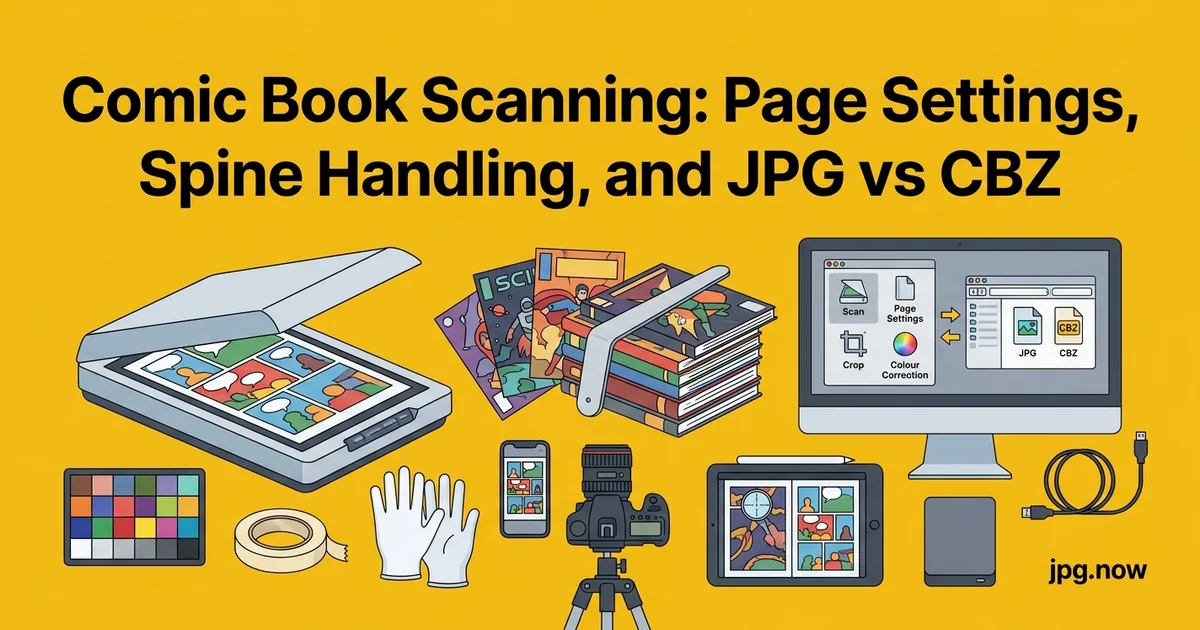
The bagged-and-boarded copy of Amazing Spider-Man #129 sits on your desk: cover gloss intact, spine straight, corners square, the staples still tight. You bought it last year for $400 in VF condition; the collector you'd like to sell it to wants to see scan-grade detail of the cover, the spine, and the centerfold before bidding. You set it on a flatbed scanner, close the lid the way you would for any printed document, and watch the cover crack a quarter-inch along the spine. The book just dropped two grade points, and $300 in value, before the scan even completed. Comic books are uniquely vulnerable to scanning damage because every grade depends on physical condition that scanning pressure can change in seconds.
Scanning comics for personal archives, online reading, or grading documentation has to balance image quality, page-flatness, and spine preservation. Mishandling a tight Bronze Age floppy during scanning can downgrade a $400 book in 20 seconds. The settings, hardware choices, and handling techniques covered here are the methodology that grading services and high-end collectors actually use to capture comics without compromising condition. This is not the workflow you'd use for printer paper or office documents; comic scanning is its own discipline.
DPI choices for floppies versus trade paperbacks
Modern floppies (32-page comics, 6.625 x 10.25 inches): scan at 600 DPI for archive copies, 300 DPI for reader-app distribution. Trade paperbacks and graphic novels: 400 DPI archive, 200 DPI distribution. Older Golden and Silver Age books with smaller trim sizes: 800 DPI archive to preserve fine line detail in the older printing process. Higher DPI captures the Ben-Day dot pattern of older newsprint, which collectors and historians care about even though casual readers don't.
Background: how comic scanning evolved
The earliest comic scanning communities in the late 1990s used 150 DPI flatbed scans that produced muddy, undersized JPGs nobody could read on anything but a CRT monitor. The CBZ format emerged as a way to bundle sequentially numbered pages into a single archive readable by emerging comic apps. By 2010, 300 DPI had become standard for distribution; by 2020, 600 DPI archive plus 300 DPI distribution was the consensus. The shift was driven by larger displays (tablets, then 4K monitors) and by collectors who wanted to verify condition from scans before purchase. Today's best practice mirrors archival library standards: scan once at high quality, derive smaller copies on demand.
Moire patterns and how to avoid them
Comic pages are halftoned with regular dot grids. When your scanner's sensor grid aligns with the halftone grid at certain angles, you get moire patterns: rainbow rippling across blue and red color areas. The fix is to descreen during the scan (most flatbed software has a "descreen" or "magazine" mode) or to scan at higher resolution and downsample with a slight blur in post. Descreen at scan-time is faster but slightly soft; high-DPI plus downsample preserves more detail.
Spine handling: V-cradle versus flatbed pressure
Modern stapled floppies can be scanned on a flatbed without damage if you don't press the spine flat. Place the book centered with the staples on the platen and let the cover rise naturally. Don't close the scanner lid all the way; let it rest gently. For high-value books, use a V-cradle scanner (book scanners from Plustek and Czur do this well, $400 to $1500 range) that preserves the spine angle. Trade paperbacks tolerate flatbed pressure better but can still develop spine cracks if forced.
Page-flattening in post
Even with careful scanning, the inner margins curl slightly. Software like ScanTailor or BookScan Editor automatically flattens curl, deskews pages, and trims to consistent margins. Process your raw scans through one of these tools before exporting final JPGs. The cleanup adds 30 seconds per page but makes the difference between an amateur archive and a professional one.
JPG versus PNG for individual pages
JPG quality 90 is the standard for comic page distribution: small file size (1 to 3 MB per page at 300 DPI), no visible artifacts at reader-app zoom levels. Save individual pages as JPG. The exception: pure black-and-white pages from indie or classic comics may benefit from PNG (or PNG-8) because flat-color compression is more efficient. For mixed comic archives, default to JPG and switch to PNG only when you see banding in the JPG output.
From TIFF master to JPG distribution
Archive masters: TIFF at scan resolution (600 DPI for floppies). Distribution copies: JPG derived from the TIFF, at quality 90. Run a batch of TIFF masters through TIFF to JPG to produce reader-app-ready files while keeping the TIFFs untouched in your archive. The pattern matches the genealogy-photo approach: capture once at maximum quality, derive shareable copies on demand.
CBZ archives: when to bundle
CBZ is literally a ZIP file containing sequentially-named JPG (or PNG) pages, with .cbz as the extension. Comic reader apps (ComicRack, YACReader, Chunky, Panels) treat CBZ as a native format. Use CBZ when distributing through reader apps, sharing with collector friends, or building a personal library on a NAS. Use individual JPGs when uploading to a forum, sending a single page reference, or grading documentation.
Building CBR/CBZ from JPG pages
Name pages with zero-padded sequential numbers: 001.jpg, 002.jpg, 003.jpg, etc. Then ZIP the directory and rename .zip to .cbz. Most file managers handle this in one step. The naming order determines page order, so always pad to 3 digits even if the comic is 32 pages; otherwise alphabetical sort puts page 10 before page 2.
Print-ready PDF output
For physical archive printing or self-publishing reprints, compile your JPG pages into a print-ready PDF. Use JPG to PDF with consistent page sizes to produce a multi-page PDF that any print-on-demand service (Lulu, IngramSpark, KDP) accepts. The PDF route is also useful for "reading copy" archives that you want to print on cheap paper to preserve the originals.
Compress reader-app distributions
Reader apps stream pages from cloud storage or local drives, so smaller files load faster. Compress your distribution JPGs to about 800 KB per page using JPG compressor for a 22-page floppy that loads quickly on tablet readers. The compression doesn't touch your master files; it produces a separate slim copy for daily reading.
Grading documentation imagery
If you submit a comic for CGC or CBCS grading and disagree with the assigned grade, you may want to document the book yourself before sending. High-DPI scans of the cover, spine, and any condition issues give you a baseline for the appeals process and for insurance documentation. Scan at 600 DPI minimum, save as TIFF, embed metadata noting the submission date and current expected grade.
Capture the page-turn dynamic
Some collectors photograph their comics open at a key page (first appearance, splash page, double-page spread) for visual reference and listing photos. The open-book shot needs different lighting than the cover scan: two soft sources angled to avoid spine shadow falling across the gutter. Shoot at f/8 on a tripod, focus stack if needed for thick trade paperbacks, then derive a JPG for listing.
Step-by-step: scanning a single floppy without damage
- Clean the scanner glass. Microfiber, no solvent. Dust becomes permanent on the master.
- Wear cotton gloves. Skin oil accelerates aging on cover gloss.
- Open the bag carefully. Remove the board and the comic together; don't slide the comic out.
- Position centered on platen. Cover spine parallel to the scanner's long axis.
- Rest the lid gently. Don't latch. Use weighted soft-cover books on the edges if needed.
- Set scan parameters. 600 DPI, TIFF output, 24-bit color, descreen on.
- Scan cover, back cover, then pages. Open each page only 90 degrees; don't crack the spine flat.
- Save with sequential naming. 001_cover.tif, 002_inside_front.tif, 003.tif, etc.
- Process through ScanTailor. Flatten curl, deskew, trim margins.
- Derive JPGs via TIFF to JPG. Quality 90, 300 DPI distribution copies.
- Bundle CBZ if desired. ZIP the JPG directory, rename to .cbz.
- Return comic to bag and board. Spine-up storage.
Common mistakes and how to fix them
- Mistake: pressing the scanner lid down on a floppy. Fix: rest the lid; weight the edges if needed. Don't crack the spine.
- Mistake: scanning at 150 DPI to save time. Fix: 600 DPI master, derive 300 DPI distribution. Lower DPI permanently caps quality.
- Mistake: JPG-only archive. Fix: TIFF masters, JPG derivatives. JPG re-edits compound artifacts.
- Mistake: random naming. Fix: 001.jpg, 002.jpg, etc. with zero padding. CBZ requires alphabetical sort.
- Mistake: skipping ScanTailor. Fix: process raw scans for deskew and trim before deriving distribution copies.
- Mistake: descreen off. Fix: enable descreen on the scanner software. Halftone moire is irreversible in JPG output.
Real-world examples
The Digital Comic Museum archives public domain comics scanned at 600 DPI by volunteers using consistent settings. Their CBZ files are the de facto standard for vintage comic distribution and demonstrate the workflow at community scale. CGC's photo-services team shoots TrueView-style scans of high-grade submissions before slabbing; their methodology mirrors what's described here. Marvel Unlimited's source pipeline reportedly captures contemporary issues at 800 DPI from print proofs, derives 400 DPI distribution copies for the app.
Format spec comparison
| Use case | DPI | Format | Per-page size | Bundling |
|---|---|---|---|---|
| Personal archive master | 600 | TIFF 24-bit | 30-60 MB | Folder per issue |
| Reader app distribution | 300 | JPG q90 | 1-3 MB | CBZ |
| Streaming archive (NAS) | 300 | JPG q80 | 600 KB - 1 MB | CBZ |
| Forum/listing photos | 200 | JPG q85 | 500 KB | Individual |
| Print-on-demand reprint | 300 | PDF (from JPG) | n/a | Single PDF |
| Grading appeal docs | 600+ | TIFF + PDF | 30 MB+ per page | Folder + PDF |
| Insurance documentation | 600 | TIFF master | 30 MB+ | Per-issue folder |
Advanced tips for serious archivists
- Use a V-cradle book scanner for high-value books. Plustek OpticBook 4800 or Czur ET24 protect spines.
- Calibrate the scanner with IT8 target. Color consistency across hundreds of issues.
- Maintain a CGC-style condition log. Note any pre-existing damage before scanning so you can prove it wasn't scan-induced.
- Backup CBZ archives offsite. Backblaze, iDrive, or NAS-to-NAS replication.
- Watermark distribution copies. Subtle bottom-corner watermark on shareable JPGs; never on the master TIFF.
- Index your archive. Spreadsheet or database tracking issue, condition, scan date, archive location.
- Plan for format migration. CBZ may not be the standard in 30 years; ensure your TIFFs remain readable.
FAQ
Can I scan a CGC-slabbed comic?
You can scan through the slab, but reflections off the plastic distort detail. Most collectors photograph slabbed books rather than scan them; the slab itself adds documented condition value.
Will scanning damage my comic?
It can if you press the lid down. Rest the lid gently or use a V-cradle book scanner for valuable issues.
What's the best free CBZ reader?
YACReader (cross-platform), Chunky (iPad), Panels (iOS), ComicRack legacy version (Windows). All handle 300 DPI JPG-in-CBZ smoothly.
Should I OCR comic dialogue?
For searchability, yes. Tools like ABBYY FineReader can OCR comic speech bubbles, though accuracy varies on stylized fonts.
How do I deal with newsprint yellowing in scans?
Color-correct in post: shift white balance slightly cool, reduce yellow saturation by 10-15 percent. Don't bake the correction into your TIFF master; apply in the JPG derivative.
What's the difference between CBR and CBZ?
CBR is RAR-compressed, CBZ is ZIP-compressed. CBZ is more universally supported; use CBZ as default.
Should I scan ads pages or skip them?
Scan everything. Ads are part of the historical record; skipping pages destroys archival completeness.
Multi-volume series and crossover tracking
Modern comic publishing involves crossovers spanning 8-15 issues across multiple titles ("Crisis on Infinite Earths," "Secret Wars," "X of Swords"). Build your archive's metadata to track crossover membership so you can read or reference an event chronologically across the titles involved. Tools like ComicTagger embed structured metadata in CBZ files that reader apps consume; the tagging once supports years of cross-referenced reading.
Building a personal Plex-style comic library
Self-hosted comic libraries (Komga, Kavita, Ubooquity) serve your archive to multiple devices in your home. Build the library structure as Publisher / Series / Volume / Issue with CBZ files at each issue level. The reader apps consume the structure and present a Plex-like browsing experience. Tag metadata in ComicRack-style XML inside each CBZ for richer browsing (writer, artist, story arc, characters). The setup pays back when you want to read a specific issue across iPad, phone, and laptop without copying files manually.
International comics: manga, bande dessinee, manhwa
Scanning international comics introduces format and reading-direction quirks. Manga reads right-to-left, so CBZ page numbering should reflect the reading order rather than left-to-right Western convention. Bande dessinee (Franco-Belgian) often comes in oversized hardcover albums with wider page dimensions; a tabloid-bed scanner or camera-based capture works better than letter-bed scanning. Manhwa (Korean) is increasingly digital-first with vertical-scroll layouts; the source files when available bypass scanning entirely.
Scanning fanzines and amateur press
Underground comix, fanzines, and amateur press from the 1960s-1990s are historically valuable but rarely preserved by mainstream channels. Scan at 600 DPI minimum even for stapled photocopy zines because the historical significance often exceeds the production quality. Document publisher info, print run if known, and publication date in IPTC. These items become irreplaceable as time progresses; volunteer your scans to community archives like the Internet Archive.
Scanning newsprint-era Golden Age comics
Golden Age comics (1938-1956) printed on cheap newsprint that has typically yellowed, brittled, and developed foxing. The scanning challenge is preserving the original printing detail while not amplifying the discoloration. Scan at 800 DPI, save as 16-bit grayscale TIFF if the comic is monochrome or color-shifted enough that the original colors are nearly unrecoverable, and color-correct only the JPG derivative. The TIFF master preserves the historical state of the comic as it exists today, including its age-induced color shift.
Variant covers and recognition imagery
Modern collector culture revolves around variant covers, retailer-exclusive variants, and limited-print incentive covers. A given issue might have 12+ variant covers worth widely different prices. Scan or photograph each variant individually and embed variant information in IPTC (cover artist, variant ratio like "1:50", retailer if applicable). Variant identification photos help collector friends and potential buyers confirm rarity. Use image info to verify variant metadata stayed embedded across export.
Comic art original page documentation
Original comic art pages (pre-publication black-and-white inked pages) are increasingly valuable collectibles. Photograph rather than scan because the boards are typically larger than letter size and may have separations or pencil notes on the back. Use the same lighting setup as art reproduction (45-degree even illumination), and document any production notes, color-guide stickers, or editorial markings as separate detail shots. The provenance of comic art is part of its value.
Scan and archive without damaging the originals
Comic scanning is a careful workflow that respects the physical originals while producing readable digital copies. Scan to TIFF, derive distribution JPGs with TIFF to JPG, bundle reading copies with JPG to PDF when PDF is preferred, compress with JPG compressor for cloud-streamed reader apps, use image converter for batch format swaps when you migrate an archive between PNG and JPG, and audit metadata via image info. Your archive will be readable for the next 40 years, and your originals will still grade the same as the day you bought them.