
Image SEO in 2026: Alt Text, File Names, and File Types
Your marketing intern just spent two days renaming every image in the media library from IMG_4827.jpg to best-red-leather-sectional-sofa-for-small-apartments-2026.jpg. She is proud. You look at the work, then look at Search Console, where Image Search impressions are flat. The keyword stuffing might be hurting, not helping. The thing she should have spent two days on — converting heroes to WebP and writing decent alt text — is still undone. Image SEO advice from 2018 still gets repeated in 2026 even though the algorithm has moved on, and most "image SEO" projects are doing 80 percent of the wrong work.
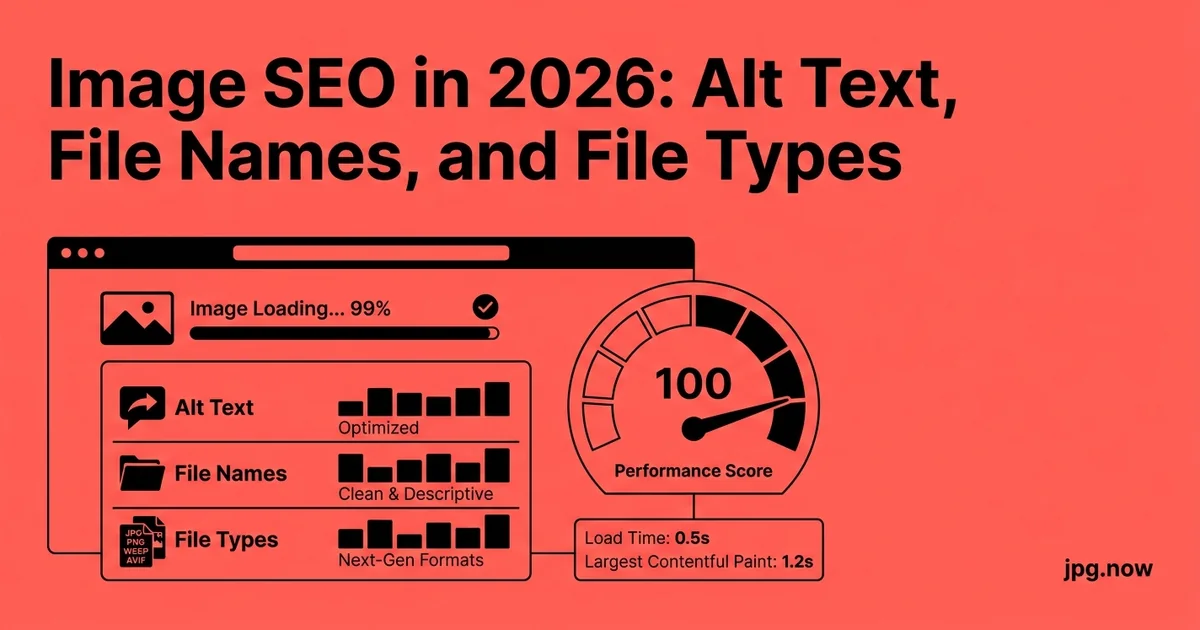
Image SEO is one of those topics where the conventional wisdom from 2018 still gets repeated in 2026, even though the algorithm has moved on. Alt text still matters — but for different reasons than it used to. File names still matter — but only at the edges. File types matter more than ever, especially since Google started weighing Core Web Vitals heavily in ranking. Here is the current state of image SEO, what to actually do, and where to stop wasting effort.
Background: how image ranking actually works in 2026
Google's image-understanding stack is built on vision-language models trained on billions of image-caption pairs. The model identifies objects, scenes, and even emotions in a single forward pass. It reads text inside images via OCR. It cross-references the image embeddings against the surrounding page text. Ranking signals include the parent page's authority, the image's surrounding context, structured data, click-through behavior in Image Search results, and Core Web Vitals metrics for the page.
Notice what is NOT a heavy signal: keyword-stuffed file names, keyword-stuffed alt text, or anything that smells like 2014 SEO tactics. Those used to work because Google had no other way to understand what an image showed. The current models do not need that crutch.
Alt text in 2026: accessibility first, SEO second
The honest truth about alt text in 2026: Google's image-understanding models can describe most images more accurately than the average human-written alt attribute. Vision transformers, trained on billions of image-caption pairs, identify objects, scenes, and even emotions in a single forward pass. Google does not strictly need your alt text to know what is in the image.
Why bother writing it, then? Three reasons:
- Accessibility. Screen-reader users still rely entirely on alt text. WCAG 2.2 requires it. Your audience includes people for whom missing alt text means a missing image, full stop.
- Search context. Alt text is a strong context signal for Image Search ranking. The text near the image (caption, surrounding paragraph) matters more than the alt attribute alone, but alt still contributes.
- Fallback rendering. When images fail to load (corporate firewalls, slow networks, broken CDNs), the alt text is what users see. Pragmatically useful.
Step-by-step: optimize one image properly
- Save the source with a descriptive lowercase hyphenated filename.
- Resize to roughly 2x display dimensions.
- Convert via JPG to WebP and JPG to AVIF.
- Compress via Compress JPG at quality 78-82.
- Write alt text under 125 chars describing the image accurately.
- Add a caption if relevant for the page layout.
- Set explicit width and height on the
<img>tag. - Wrap with
schema.org/ImageObjectstructured data for high-value images. - List in the XML sitemap with
<image:image>. - Verify with image info that metadata and dimensions are correct.
How to write alt text that actually helps
Three rules:
- Describe what the image shows, not why it is on the page. "Red leather sofa in a sunlit living room" is good. "Our new spring 2026 collection" is not — that is caption text, not alt text.
- Keep it under 125 characters. Longer alt gets truncated by screen readers and adds noise to search context.
- Include a relevant keyword once, naturally. Not "red sofa red couch red furniture for sale." Just "Red leather sectional sofa with brass legs."
Skip alt text entirely on purely decorative images — flourishes, dividers, background patterns. Use alt="" (empty string, not missing attribute) so screen readers skip them.
File names: small win, not zero
A file named red-leather-sectional-sofa.jpg ranks marginally better than IMG_4827.jpg for the obvious query, but the effect is small in 2026. Google can match images to queries via visual content and surrounding HTML; the file name is one signal among many.
Where file names still matter:
- Brand new content with no other ranking signals yet. A descriptive filename is one of the few things Google can read on day one.
- Hot-linkable contexts. If someone copies your image to a forum or social platform, the filename becomes the only context.
- Search Console reports. You can read a list of well-named files and understand what is on the site; you cannot read a list of IMG_4827 through IMG_5239.
Best practice: lowercase, hyphens between words, no underscores, no spaces, no special characters. red-leather-sectional-sofa.jpg beats RedLeatherSectionalSofa.JPG and red_leather_sectional_sofa.jpg.
File types: the compounded SEO win
This is where 2026 image SEO genuinely diverges from 2018. Google's ranking algorithm now weights Core Web Vitals heavily, and the LCP metric is dominated by image format and size. A page with a 2.5 MB JPG hero loses to an otherwise identical page with a 380 KB WebP hero, all else equal — not because Google "prefers WebP," but because the page is faster and the user experience metric is better.
The 2026 format hierarchy for SEO performance:
- AVIF for above-the-fold hero images. Best compression, broad browser support in 2026. Generate via JPG to AVIF.
- WebP for body content and fallback. Universal support, 30 percent smaller than JPG at equivalent quality. Generate via JPG to WebP.
- JPG as final fallback for legacy browsers and email clients. Compress aggressively via Compress JPG.
- SVG for logos and icons. Tiny files, infinite scaling.
- PNG only when transparency is required and SVG cannot do the job.
Ship modern formats through <picture> with fallbacks. The LCP improvement, on average, moves a "needs improvement" score to "good" in Search Console field data within 4 weeks of rollout.
Common mistakes and how to fix them
- Mistake: keyword-stuffed alt text. Fix: write one accurate sentence that describes the image.
- Mistake: missing alt attribute on real content images. Fix: every content image needs alt, even if brief.
- Mistake: alt="image of [thing]". Fix: just describe the thing; screen readers already announce "image."
- Mistake: serving 4 MB JPGs and calling it "good for SEO because they are high quality." Fix: compress and convert to WebP — Core Web Vitals dominate ranking now.
- Mistake: missing width/height attributes causing CLS. Fix: always set explicit dimensions.
- Mistake: leaving social og:image at low resolution. Fix: use the dimensions in social media image sizes.
Real-world examples
The Wirecutter writes alt text as concise factual descriptions ("Stainless-steel French press on a wood countertop") and ships WebP through a Picture-tag pipeline. Their Image Search visibility outperforms most editorial competitors despite shorter alt text.
Etsy listing pages use the listing title as the image alt text by default — a perfectly serviceable signal that matches search intent. Sellers who customize per-image rarely improve over the default.
A B2B SaaS company A/B tested keyword-stuffed alt ("project management software dashboard for teams enterprise productivity") against simple descriptive alt ("Kanban board showing four sprint columns"). The descriptive version outranked the stuffed version after 60 days.
Captions, surrounding text, and structured data
Surprising fact: the text near an image in the HTML often matters more than the alt attribute for Image Search ranking. If your image of a red leather sofa lives inside a paragraph about "red leather sectional sofas for small apartments," that surrounding context is a heavy ranking signal.
Captions are read both visually (by humans) and by crawlers. A descriptive caption like "The Heritage sectional in Cognac leather, photographed in our SoHo showroom" adds searchable context and visual signal at once.
Structured data via schema.org/ImageObject tags is optional but useful for high-value content. Google Image Search may show enhanced metadata in results (size, license, creator) for images with schema, increasing click-through.
Image sitemaps
List every important image in your XML sitemap with <image:image> tags. This is more important for ecommerce and editorial sites with thousands of images than for blogs. Submit through Search Console — first crawl picks up the images, subsequent crawls track changes.
Dimensions and aspect ratios
Set explicit width and height on every <img> tag. This prevents Cumulative Layout Shift (CLS) and helps Google reserve layout space during rendering. Use the aspect ratio calculator to verify your width/height ratios match the actual image proportions.
For social-share previews, hit the platform-specific dimensions (Facebook 1200x630, Twitter 1200x675, LinkedIn 1200x627). Refer to social media image sizes for the current spec sheet. Mismatched dimensions cause platforms to crop your image awkwardly, killing share-through rates.
Image SEO factors compared
| Factor | Impact 2018 | Impact 2026 | Reason |
|---|---|---|---|
| Alt text keyword | High | Low-Medium | Vision models read images directly |
| Filename keyword | Medium | Low | Other signals dominate |
| Image format/size | Low | High | Core Web Vitals weight |
| Surrounding HTML text | Medium | High | Context is king |
| Structured data | Low | Medium | Enables rich result formats |
| Image sitemap | Medium | Medium | Still aids discovery |
| Width/height set | Low | Medium | CLS is a ranking signal |
Advanced tips
- Add OpenGraph + Twitter card metadata for every key image so social shares render correctly.
- Use lazy loading correctly — never lazy-load the LCP image, always lazy-load below-fold.
- Generate dominant-color placeholders via color palette to reduce perceived load time.
- Submit a separate image sitemap for product or gallery sites with thousands of images.
- Audit image filenames in Search Console URL Inspection to spot rogue uploads with bad names.
- Embed EXIF copyright + creator fields on photos you license to others; Google reads them.
- Use a single canonical URL per image — duplicate copies dilute the signal.
FAQ
Does Google use the alt text for ranking the parent page?
Slightly. It contributes to the page's topical signal but is one of many.
How long should my alt text be?
Under 125 characters. Longer gets truncated by screen readers.
Should I include the brand name in every alt text?
Only if the brand is visibly in the image. Otherwise it is noise.
Can AI-generated alt text help?
Yes, as a starting point — but review it. AI sometimes hallucinates colors or counts.
Does file size affect Image Search ranking directly?
Indirectly via Core Web Vitals, which now weight heavily.
Should I serve different alt text on different language sites?
Yes — translate alt text alongside the rest of the content.
Do hidden CSS background images get indexed?
Less reliably than <img>. Use <img> for content imagery you want indexed.
The 2026 image-SEO checklist
- Filename is lowercase, hyphenated, descriptive
- Alt text under 125 chars, describes the image, includes one keyword naturally
- Caption text adds searchable context
- Format is AVIF or WebP (with JPG fallback) for photos
- Format is SVG for logos and icons
- JPG sources compressed via Compress JPG before format conversion
- Explicit width and height on every image
- Surrounding HTML text provides topical context
- Listed in XML sitemap with image: tags
- Schema.org/ImageObject markup on high-value images
- Social-share dimensions correct per platform
What is no longer worth doing
- Keyword-stuffed alt text. Hurts accessibility and is heuristically downweighted as spam.
- "alt=red-leather-sofa-red-couch-red-furniture" file names. Same problem, different field.
- Long alt-text essays. Anything over 125 chars gets truncated or ignored.
- Submitting JPGs to Search Console individually. The sitemap handles bulk submission.
The quick audit
Pull a list of your top 20 ranking images from Search Console's Search Results report, filtered to Image. For each one:
- Check that the file name is descriptive.
- Check that alt text exists and is under 125 chars.
- Check that the format is WebP or AVIF, with fallback. If it is JPG only, that is your first conversion task — push it through JPG to WebP.
- Check that width and height are set.
- Check Page Speed mobile score for the parent page.
Fix the gaps. The compounded effect, on a site with 200 ranking images, is typically a 15 to 30 percent increase in Image Search impressions over 60 days, plus a non-trivial uplift in web-search rankings driven by the Core Web Vitals improvement. Image SEO in 2026 is not about gaming alt text — it is about shipping the right format at the right size to the right user, with enough surrounding context that the algorithm and the screen-reader user both know what they are looking at. Pair the work with compress image, the image converter, and the image info tool to keep everything within target.
Image Search and Google Lens
A meaningful and growing fraction of image discovery happens through Google Lens — visitors point their camera at a product and Google identifies it. Lens uses the same vision-language stack that ranks Image Search, with additional weight on product schema and shopping data. To show up well in Lens results, the on-page image needs to match what people photograph in the real world: standard angles, neutral backgrounds for products, and clean uncluttered framing.
Schema.org/Product markup on the same page as the image tells Google explicitly that this is a buyable item. If your site sells the product, ensuring the product schema is complete (price, availability, brand, SKU) often moves you from "appears in Lens results" to "appears at the top of Lens results." This is one of the rare places where structured data has a direct, measurable impact on a specific search surface.
Multilingual image SEO
If your site serves multiple languages, alt text needs to be translated alongside the body text. Google ranks each locale separately for Image Search, and English alt text on a French page is a missed opportunity for the French Image Search index. Most CMS multilingual plugins (WPML, Polylang, Weglot) support per-language alt text fields — use them.
File names are typically left in English even across locales because changing the file name across translations breaks URL consistency. The alt text and caption do the locale work; the file name stays as the global canonical identifier. The exception is if a specific image is locale-specific (a product shot taken in Tokyo for the Japan site) — in that case, a localized file name reinforces the geographic signal.
Image SEO for ecommerce specifically
Ecommerce sites have unique image SEO opportunities because the alt text can include attributes that match search intent precisely: "Nike Air Max 90 white leather sneaker size 10" is a perfectly natural alt text that maps to dozens of long-tail queries. Avoid keyword stuffing but include the brand, model, color, size, and material when they are visibly present.
Pair every product image with structured data: schema.org/Product with image, name, brand, offers, aggregateRating. The combination produces rich Image Search results with price and rating shown alongside the thumbnail. Click-through rates from rich results in Image Search are 30 to 50 percent higher than from plain results, which is meaningful free traffic.
Tracking image SEO over time
Set up a monthly review of Search Console's Image Search performance report. Track: total impressions, total clicks, average position, and top-performing image URLs. A 6-month rolling chart makes trend changes visible. Drops correlate with site changes (theme update, plugin migration, URL restructure); spikes correlate with new content or successful optimization.
Pair the Search Console data with Lighthouse scores per page. Pages with worse Core Web Vitals slowly lose Image Search position even if their content is fine. The remediation is the same as for web search: smaller images, modern formats, lazy loading, and the rest of the performance stack. The win compounds across both search surfaces.