
What's the Difference Between JPG and JPEG? (Spoiler: Nothing)
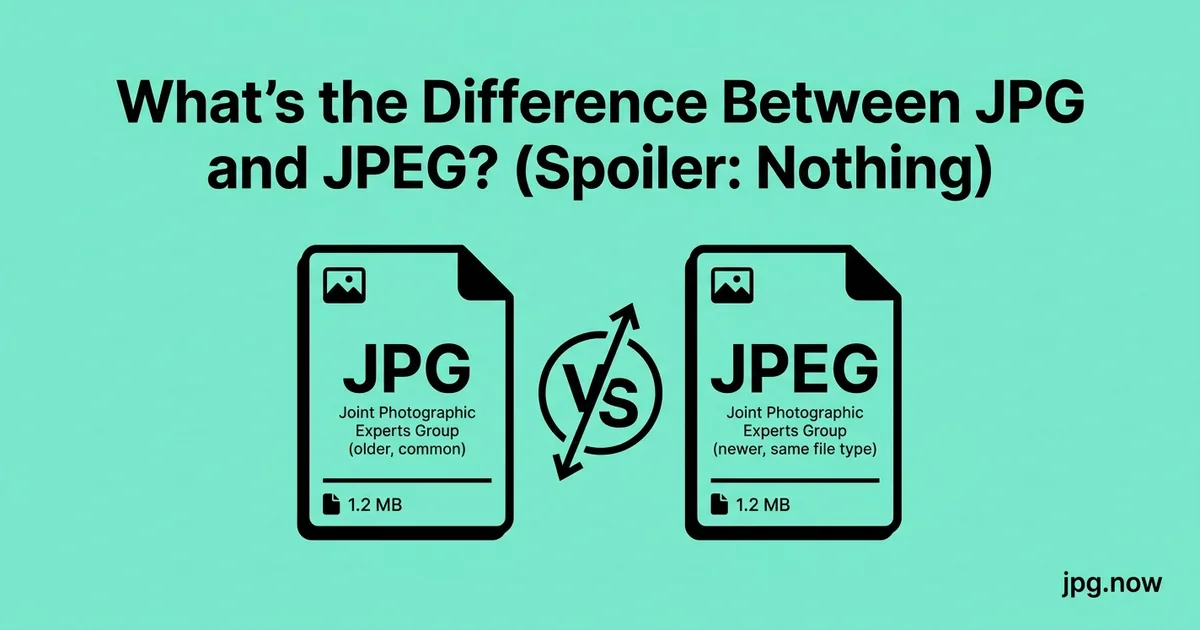
The difference between JPG and JPEG is precisely zero. Same format, same compression algorithm, same internal structure, same decoders. The only difference is the three-letter file extension versus the four-letter file extension, and the only reason both exist is a 30-year-old limitation of MS-DOS that should have been forgotten by 2002 but somehow never was.
If you have ever wondered whether you should "convert" a .jpeg to .jpg, whether one is higher quality, or whether your camera is doing something different when it saves one vs. the other, this is the definitive answer. The TL;DR is: they are identical, use .jpg, move on. The rest of this article explains why both exist, when the distinction occasionally matters, and what the actual JPG-related questions you probably meant to ask are.
Background and context
The JPEG standard was finalized in 1992 by the Joint Photographic Experts Group, a working group within ISO. The standard defined the compression algorithm but not the file format on disk — that came from JFIF (JPEG File Interchange Format), a 1992 specification by C-Cube Microsystems. The intended file extension was .jpeg, matching the standard's name. But the file extension hit a wall: MS-DOS, still the dominant PC operating system, only supported 8.3 filenames. The extension had to be three letters. So .jpeg became .jpg on DOS and Windows, and .jpeg stuck around on Unix and Mac systems where four-letter extensions were always legal.
The short answer
JPEG is the name of the standard, defined by the Joint Photographic Experts Group in 1992. The file extension was meant to be .jpeg. But MS-DOS and Windows 3.1 only supported three-character file extensions through the 8.3 filename convention, so the extension got truncated to .jpg. When Windows 95 introduced long filenames in 1995, both extensions became valid. Mac, Linux, and Unix systems always supported the four-letter version.
Today, every operating system, every browser, every image library, and every camera supports both extensions interchangeably. You can rename a .jpg to .jpeg or vice versa and nothing changes. The file is identical.
Extension comparison
| Attribute | .jpg | .jpeg |
|---|---|---|
| File format | JFIF (JPEG) | JFIF (JPEG) |
| MIME type | image/jpeg | image/jpeg |
| Compression algorithm | DCT (identical) | DCT (identical) |
| Internal structure | Identical | Identical |
| Browser support | Universal | Universal |
| Camera default | Yes (all major brands) | No (none) |
| Adobe default | Yes | No |
| Why it exists | MS-DOS 8.3 truncation | Original standard name |
Why both still exist in 2026
Habit. Camera manufacturers had to pick one extension when they wrote their firmware in the 1990s and 2000s, and they picked .jpg because it worked on Windows 95. Every camera since then has used .jpg for consistency with the existing ecosystem. iPhones write .heic by default now, but when you export to "Most Compatible," you get .jpg.
Web platforms picked .jpg because three-letter extensions look cleaner in URLs. Adobe Photoshop's default export extension is .jpg. macOS Photos exports as .jpg. Lightroom exports as .jpg. The four-letter version is technically more correct but practically extinct.
You will still see .jpeg occasionally on Linux servers, in scientific imaging contexts (where the longer extension is sometimes specified by data standards), and in image libraries written by people who insisted on the "right" extension despite the platform consensus.
Are there any differences? Truly none?
Truly none. Both extensions resolve to the same MIME type: image/jpeg. Both decode through the same libjpeg-turbo library on most operating systems. Both produce identical pixel data when opened by any image viewer.
One micro-edge case: some old web forms and file uploaders have an allowed-extensions whitelist hardcoded with only .jpg. If you upload a .jpeg file to such a form, it may reject it. The fix is to rename the file — the content does not change. This is rare in 2026 but still happens occasionally on legacy government portals and obscure CMS plugins.
Step-by-step walkthrough: handling .jpeg files
- Receive a .jpeg file. Could be from email, a scientific dataset, or a Linux user.
- Verify the actual content. Use the image info inspector to confirm it is real JPEG data (it almost certainly is).
- Decide if renaming is needed. Most platforms accept both; some legacy uploaders demand .jpg.
- Rename if needed. Right-click, rename, change .jpeg to .jpg. The file content does not change.
- Process as normal. Compress, convert, or upload like any other JPG.
- If converting to another format, use any standard converter. The JPG to PNG converter and similar tools accept both extensions.
- Save your output as .jpg. Default to the shorter extension for consistency.
- Move on with your life. This is not a meaningful distinction.
Should you use .jpg or .jpeg?
Use .jpg. It is shorter, it is what every camera produces, it is what every modern editor exports, and there is no upside to the longer version. If you receive a .jpeg file, just leave it alone — renaming it is unnecessary unless an upload form rejects it.
If you are writing software, accept both extensions when reading and emit .jpg when writing. Treating them as different formats is a bug.
What about JFIF?
JFIF (JPEG File Interchange Format) is the container that almost all .jpg files actually use. The bare JPEG specification did not define how to package the encoded data into a file — JFIF filled that gap in 1992. When you read or write a "JPG," you are technically reading or writing a JFIF file containing JPEG-compressed image data. The .jfif extension exists and is occasionally used in scientific contexts, but for all practical purposes it is interchangeable with .jpg.
You may also encounter the .jpe extension. It is JPEG, just with a different historical three-letter abbreviation. Vanishingly rare in 2026.
What about JPEG XL, JPEG 2000, JPEG XS, and JPEG XR?
These are separate formats that share the JPEG name but use entirely different compression algorithms and are not interchangeable with classic JPG. JPEG 2000 (.jp2, .jpf) uses wavelet compression and is used in medical imaging and cinema distribution. JPEG XL (.jxl) was developed in the late 2010s as a modern successor to classic JPG, with better compression and lossless re-encoding from existing JPGs; browser support is partial. JPEG XR (.jxr) was a Microsoft format that never caught on. JPEG XS is a lightly-compressed format for video production.
None of these will replace classic JPG anytime soon. WebP and AVIF are the actual modern successors gaining real adoption.
Real-world examples
The legacy government portal scenario. A user trying to upload tax documentation found his .jpeg scans rejected by the IRS portal. Renaming to .jpg let them through unchanged. The portal's allowlist was hardcoded in 2008 and never updated.
The scientific dataset scenario. A biology researcher receiving NASA imagery in .jpeg format wondered if it was a different format. Opened in the image info inspector, confirmed it was standard JFIF JPEG, processed normally.
The "my camera is broken" scenario. A new photographer worried because some of his files were .jpg and others were .jpeg. Turned out he had imported some shots through Adobe Bridge (which preserved .jpeg) and others through Lightroom (which renamed to .jpg). Same file content, different extension. No issue.
Converting between extensions
There is no conversion. To "convert" a .jpeg to a .jpg, you rename the file. The bytes are identical. Any tool that claims to "convert JPEG to JPG" is either renaming the file or running an unnecessary re-encoding pass that introduces compression artifacts. Avoid those tools.
If you need to convert from a genuinely different format — PNG, HEIC, WebP, RAW — to JPG, that is real conversion. The PNG to JPG converter, HEIC to JPG converter, and WebP to JPG converter handle the common cases. For a generic file with an unknown source format, the image converter auto-detects the input.
The compression question
Sometimes the question "what is the difference between JPG and JPEG" is actually a question about compression: why does my file say JPEG when I expected JPG to be more compressed, or why is my JPEG so big. The answer is in the JPG quality setting, not the extension. Quality 100 JPG and quality 100 JPEG are the same massive file. Quality 85 is the sweet spot for both. The JPG compressor works on files with either extension.
Common mistakes and how to avoid them
- Assuming .jpeg is higher quality. It is not — the quality is determined by the encoder settings, not the extension. Fix: ignore the extension distinction.
- Running .jpeg files through a "converter to JPG." Re-encodes and loses quality. Fix: rename, do not convert.
- Writing code that treats .jpg and .jpeg as different formats. A bug waiting to surface. Fix: accept both extensions.
- Worrying when a file changes extension during processing. Adobe and other apps normalize to .jpg. Fix: trust the tool, the data is unchanged.
- Confusing .jpeg with .jp2 (JPEG 2000). Those are different formats. Fix: check the actual content with the image info inspector.
- Confusing .jpeg with .jxl (JPEG XL). Also different. Fix: same — verify with image info.
What to tell anyone who asks
JPG and JPEG are the same format. The extension differs because MS-DOS could not handle four-letter extensions. Every modern system supports both. Use .jpg. Move on.
If they ask about compression next, that is the real question. Send them to the compressor and the image info tool — those answer the actual problem most people have.
Advanced tips
- When writing software that accepts image uploads, normalize all incoming extensions to .jpg internally for consistency.
- For URL design, prefer .jpg for cleaner-looking image paths.
- For batch renaming, the macOS Finder, Windows Explorer, and Linux mv all handle bulk extension changes natively.
- If you need to verify a file is really JPEG and not just labeled as one, the image info inspector shows the actual format signature.
- For modern web delivery, convert JPG to WebP with the JPG to WebP converter or AVIF with the JPG to AVIF converter.
- For print, the JPG/JPEG distinction is irrelevant — both decode identically.
- For long-term archive, .jpg is the safe default — every system will recognize it for decades.
FAQ
Does the extension affect file size?
No. A .jpg and a .jpeg of the same image are byte-for-byte identical.
Will renaming damage the file?
No — extensions are metadata, not content.
What about the .pjpeg or .pjp extension?
Both are progressive JPEG variants. Still standard JPEG. Universally readable.
Why does my camera produce .jpg and my scanner produce .jpeg?
Vendor convention. The data is the same.
Is there a JPEG version 2?
JPEG 2000 exists but uses a different algorithm (.jp2/.jpf). Not interchangeable with classic JPEG.
What about JPEG XL?
A modern successor (.jxl) with much better compression. Limited browser support in 2026.
Should I write .jpg or .jpeg in HTML img tags?
Either works. Match the actual file extension.
Why some image tools "re-export" instead of rename
You will occasionally encounter image utilities that, when asked to convert .jpeg to .jpg, perform a full decode-and-re-encode pass rather than a simple rename. This is wasted work and introduces a small amount of additional compression loss. The result is functionally identical to the input but cryptographically different — the bytes are not the same. Avoid those tools for this specific operation; rename in your file manager instead.
For genuine format conversions (PNG to JPG, HEIC to JPG, WebP to JPG), the decode-and-re-encode is necessary and the small quality loss is expected. The PNG to JPG converter and similar tools handle these legitimate conversions efficiently.
How operating systems decide which app opens a JPG
The OS uses the file extension to look up the default application. On Windows, the registry maps .jpg and .jpeg to the same default (usually Photos or your installed image viewer). On macOS, Launch Services uses Uniform Type Identifiers (UTI) — both extensions resolve to public.jpeg. On Linux, the .desktop file MIME associations map both to image/jpeg.
This is why double-clicking either extension opens the same app. The extension is just a hint; the OS treats them identically once resolved through the type system.
Historical extensions you might encounter
| Extension | What it is | How common in 2026 |
|---|---|---|
| .jpg | Standard JPEG, 3-letter | Universal |
| .jpeg | Standard JPEG, 4-letter | Common on Linux/Unix |
| .jpe | JPEG, historical abbreviation | Very rare |
| .jfif | JFIF container | Rare, scientific |
| .jif | Pre-JFIF JPEG, historical | Effectively extinct |
| .pjpeg | Progressive JPEG | Rare |
| .pjp | Progressive JPEG abbreviation | Very rare |
| .jp2 | JPEG 2000 (different format) | Medical, cinema |
| .jpf | JPEG 2000 alternative | Very rare |
| .jxl | JPEG XL (different format) | Emerging |
| .jxr | JPEG XR (different format) | Effectively dead |
How web browsers handle the extensions
Browsers do not actually care about file extensions. They look at the HTTP Content-Type header sent by the server. A file served with image/jpeg Content-Type is displayed as a JPEG regardless of whether its filename ends in .jpg, .jpeg, .jpe, or has no extension at all.
This is why URLs like https://example.com/image renders correctly when the server sets image/jpeg headers. It is also why the extension in the URL is mostly cosmetic — useful for humans, irrelevant for browsers.
What the rendering pipeline actually does
When you open a .jpg or .jpeg file, the application:
- Reads the file's first few bytes to identify the format signature
- JPEG files start with bytes 0xFF 0xD8 (SOI marker) — the extension is ignored
- Parses the JFIF or Exif header to extract metadata
- Decodes the entropy-coded image data through libjpeg-turbo
- Applies any embedded color profile
- Renders the resulting pixels to the display
The extension never enters this pipeline. Renaming a .jpg to .jpeg, or vice versa, has no effect on what the application sees or does.
What if the file is corrupt?
Sometimes you have a file labeled .jpg that the viewer refuses to open. The extension is fine; the data is corrupt. Use the image info inspector to verify whether the file has valid JPEG structure. If it does not, the extension is misleading — it might be a renamed PNG, a partial download, or a corrupted file. Re-download or convert from the original source.
How JPEG works under the hood
Briefly: JPEG breaks the image into 8x8 pixel blocks. Each block is transformed into the frequency domain via Discrete Cosine Transform (DCT). The resulting 64 frequency coefficients are quantized — divided by values from a quantization table, with higher frequencies divided by larger values (discarding them). The quantized coefficients are then entropy-encoded with Huffman coding.
Decompression reverses the process. The result is approximately the original image, with the high-frequency detail blurred (lost) in proportion to the quality setting. This is why JPG performs well on smooth photographic content and poorly on hard-edge graphics — the high frequencies that make sharp edges are exactly what JPG discards.
What "lossy" actually means in practice
"Lossy" sounds dramatic but in practice means "information is discarded that the human eye is unlikely to notice." JPG quality 85 discards about 90 percent of the original frequency information and produces a result that looks identical to the original at any normal viewing distance. The trade-off is essentially free for most use cases.
The places where lossy compression matters: heavy post-processing (the discarded information cannot be recovered), repeated re-encoding (each save discards more), and hard-edge synthetic content (logos, text on white backgrounds, line art). For these cases, PNG or WebP lossless is the right format. For everything else, JPG remains optimal.
Closing
Stop overthinking it. Use .jpg. If you have a quality concern, that is a compression question — the JPG compressor answers it. If you have a format-conversion need, the image converter handles it.
Related tools: PNG to JPG converter, JPG to WebP converter, image info inspector, HEIC to JPG converter, universal image compressor.