
JPG vs PNG vs WebP vs AVIF: The Definitive 2026 Comparison
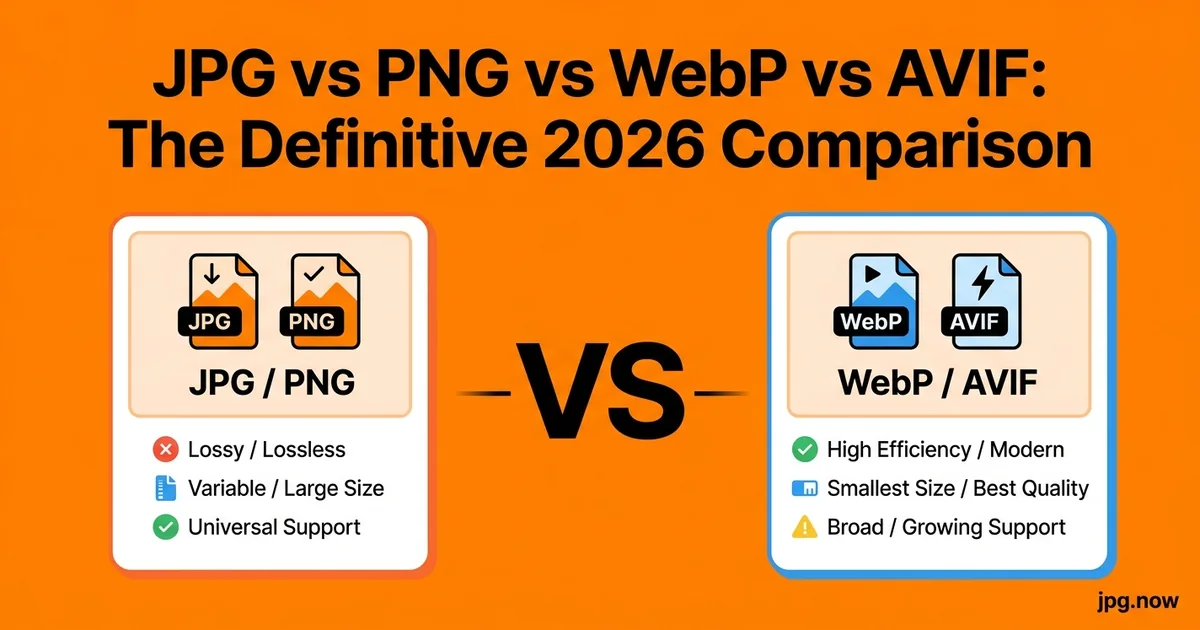
Four formats, four sets of true believers, and a steady stream of "JPG is dead" hot takes that have been arriving for fifteen years and never quite arrive. The discourse around image formats in 2026 is unusually muddled — every web-performance article tells you to switch to AVIF, every old design guide tells you PNG is higher quality, every web developer has an opinion about WebP licensing, and meanwhile JPG quietly powers somewhere around 70 percent of all images on the web. Maya, a front-end engineer who joined a startup in March, spent her first week trying to figure out which format to use for the marketing site's hero images. Six articles later she had four contradictory recommendations. Then she ran the same source photograph through all four formats herself and the answer became obvious.
This article is that benchmark exercise, run on a real photograph in 2026, with real file-size numbers, real browser-support data, and real recommendations for when to use which format. No format wars, no allegiance to a particular vendor, just measurements and decision rules. If you read one image-format article this year, this is the one you want — because by the end you will know which format to use for every situation you actually encounter, and you will have a one-click pipeline for generating any of them from any other.
Background: how each format works under the hood
JPG (1992)
JPG is a lossy format using the Discrete Cosine Transform (DCT) to encode 8x8 blocks of pixels. It throws away the high-frequency components of each block that humans don't perceive well, which gives massive size savings on photographic content. JPG is 8-bit per channel, supports no transparency, no animation, and no metadata of much interest beyond EXIF. It is supported by literally every device and browser made in the last 30 years.
PNG (1996)
PNG is a lossless format using DEFLATE compression on a pixel-by-pixel representation. It supports an alpha channel (transparency), supports up to 16-bit per channel (PNG-48), and produces files that are byte-perfect identical to the source after decompression. PNG is the right answer for graphics with sharp edges, text, and transparency; it is the wrong answer for photographs because file sizes balloon 5x to 10x compared to JPG for no perceptible visual benefit.
WebP (2010)
WebP was developed by Google based on the VP8 video codec. It supports both lossy and lossless modes, plus an alpha channel and animation. WebP encodes meaningfully better than JPG (25 to 35 percent smaller at equivalent quality) and is supported in 97 percent of browsers as of 2026. It is royalty-free.
AVIF (2019)
AVIF is based on the AV1 video codec, developed by the Alliance for Open Media (Google, Mozilla, Netflix, Apple, etc.). It uses far more sophisticated encoding than JPG — variable block sizes, more transform types, better intra-frame prediction. AVIF produces 30 to 50 percent smaller files than JPG at equivalent quality. Browser support reached 94 percent in early 2025 and is still climbing. AVIF is royalty-free.
The 2026 benchmark
We took one 6,000 x 4,000 px (24 megapixel) ISO 200 landscape photograph from a Sony A7 IV — bright sky, mid-tone foliage, dark shadow detail under trees — and exported it at the highest visually transparent quality setting for each format. "Visually transparent" means a careful viewer cannot tell the compressed file from the master at 100 percent zoom on a calibrated monitor.
| Format | File size | Encode time | Decode time | Browser support |
|---|---|---|---|---|
| JPG quality 90 | 8.4 MB | 0.3 s | fast | universal |
| PNG (24-bit) | 52.1 MB | 1.1 s | fast | universal |
| WebP quality 90 | 5.7 MB | 0.6 s | fast | 97 percent globally |
| AVIF quality 60 | 3.9 MB | 3.8 s | medium | 94 percent globally |
WebP saves 32 percent off JPG. AVIF saves 54 percent off JPG. PNG is 6 times larger than JPG and is the wrong format for photography at any scale.
Step-by-step walkthrough: picking the right format
Step 1: Identify the content type
Is it a photograph (continuous tone, gradients, no hard edges)? Is it a graphic (logo, icon, screenshot with text, illustration with sharp edges)? Is it transparent (needs to sit on a non-uniform background)?
Step 2: Identify the delivery context
Will it be served on a website you control? Sent to a stock agency? Emailed? Printed? Uploaded to a marketplace?
Step 3: Apply the decision rule
- Photograph for universal compatibility (email, marketplace, print, stock): JPG.
- Logo, icon, screenshot, or graphic with text: PNG.
- Photograph or graphic on a website you control: WebP for default, AVIF for next-gen picture-tag fallback, JPG as the legacy fallback.
- High-end print archive: JPG quality 95-100 or TIFF.
- Animated illustration: WebP or AVIF (animated PNG works but is huge).
Step 4: Generate the variants from your master
Start with the highest-quality source you have. If it's a JPG master, convert to the other formats as needed:
- JPG to WebP for the web-default variant
- JPG to AVIF for the next-gen variant
- JPG to PNG for cases that need transparency (you'll still need to mask out the background)
Step 5: Implement progressive enhancement
Modern websites serve all formats via the picture tag. The browser picks the first format it understands:
picture > source srcset (AVIF) > source srcset (WebP) > img src (JPG fallback)
AVIF-capable browsers get the smallest file. WebP-capable browsers get a small file. The JPG ships to legacy clients.
Step 6: Measure the actual page-load impact
Run Lighthouse before and after. Page weight should drop 30 to 50 percent on image-heavy pages. Largest Contentful Paint (LCP) should improve materially.
Step 7: Handle the conversion direction
Sometimes you receive files in non-JPG formats and need to normalize. Use:
- WebP to JPG when a partner sends WebP and you need universal compatibility
- AVIF to JPG for AVIF inputs heading to legacy systems
- PNG to JPG when a photograph was wrongly saved as PNG
- HEIC to JPG for iPhone source files
Step 8: Compress within format
Once you have the right format, compress to the right size. JPG compressor, PNG compressor, or the universal image compressor handle the in-format size optimization.
Common mistakes and how to avoid them
Using PNG for photographs. Diagnosis: a page with 12 PNG photos weighs 80 MB and loads in 18 seconds on mobile. Fix: photographs ship as JPG, WebP, or AVIF. PNG belongs in graphics.
Re-encoding a JPG repeatedly. Diagnosis: every edit-and-resave cycle through JPG degrades quality. Fix: keep a master in lossless format (PNG, TIFF, or PSD); only export to JPG at the final delivery step.
Serving JPG to everyone in 2026. Diagnosis: page weight is 50 percent higher than it needs to be. Fix: serve WebP as the default with JPG as the picture-tag fallback. The 3 percent of browsers still on JPG don't slow down anyone else.
Generating AVIF with poorly-tuned encoder settings. Diagnosis: AVIF outputs are larger or worse-looking than WebP. Fix: use a well-tuned encoder (libavif with reasonable defaults, or a hosted service that has tuned parameters). A bad AVIF encode is genuinely worse than a good JPG encode.
Assuming AVIF will replace JPG soon. Diagnosis: building infrastructure that assumes universal AVIF support. Fix: JPG will be the legacy fallback for the next decade. Plan for the picture-tag pattern indefinitely.
Sending WebP or AVIF to email recipients. Diagnosis: recipients see broken attachments because their email client doesn't know the format. Fix: emails ship JPG. WebP and AVIF live on the web.
Where each format wins, in plain language
JPG
Wins on universal compatibility, fastest encode, zero learning curve. Every camera produces it, every browser renders it, every printer accepts it, every social platform expects it. If you do not have a specific reason to use something else, use JPG. The format will be readable in 2050 with confidence.
PNG
Wins on transparency and lossless quality for graphics. PNG is the right answer for logos, icons, charts, screenshots, and any image with sharp text or hard edges where JPG's color compression creates visible ringing. PNG is the wrong answer for photographs — file size is 6x to 10x larger than JPG for no perceptible visual benefit.
WebP
Wins on the cost-benefit tradeoff for web delivery in 2026. WebP is supported in 97 percent of browsers globally. It encodes fast, decodes fast, supports transparency, supports animation, and saves a third off your image bandwidth. If you run a website with image-heavy pages, WebP is the format you should be serving by default.
AVIF
Wins on raw compression efficiency. AVIF gives you the smallest file at a given visual quality by a meaningful margin. The catch is encode time — AVIF encoding is 5 to 15 times slower than JPG, and the encoder settings matter a lot. Browser support reached 94 percent in early 2025 and continues climbing. Use AVIF as your next-gen variant alongside WebP and JPG.
Real-world examples
Maya, front-end engineer at a startup. Maya's marketing site had 38 hero images, each shipped as JPG at quality 90. Total image weight: 47 MB across the site. Generating WebP variants with the JPG to WebP converter and adding the picture tag dropped weight to 31 MB. Adding AVIF variants via JPG to AVIF dropped it to 22 MB. Lighthouse score climbed from 64 to 91. Time invested: one afternoon.
Diego, e-commerce manager at a fashion retailer. Diego's product page averaged 8 images per item, 600 KB per JPG. Across 100,000 monthly visitors, that was 4.8 TB of egress per month at JPG. WebP cut it to 3.2 TB. AVIF cut it to 2.2 TB. The CDN cost savings paid for the implementation work in 11 days.
Hannah, food blogger with a content library. Hannah has 1,200 recipe photos accumulated over six years, all stored as JPG. She generates WebP and AVIF variants via batch conversion as she publishes new recipes, and her CDN serves the right format per visitor. Page load times on recipe-index pages dropped from 6 seconds to 2.2 seconds.
Format comparison at a glance
| Property | JPG | PNG | WebP | AVIF |
|---|---|---|---|---|
| Released | 1992 | 1996 | 2010 | 2019 |
| Lossy | Yes | No | Yes or no | Yes or no |
| Transparency | No | Yes | Yes | Yes |
| Animation | No | APNG only | Yes | Yes |
| Bit depth | 8 | 8 or 16 | 8 | 8, 10, 12 |
| Universal browser support | Yes | Yes | 97 percent | 94 percent |
| Royalty-free | Yes | Yes | Yes | Yes |
| Best use case | Photos, email, print | Graphics, transparency | Web default | Next-gen web |
Advanced tips
Tune your AVIF encoder. AVIF is sensitive to encoder parameters in ways JPG and WebP are not. Libavif with --speed 4 (or higher numbers for faster encoding) gives a reasonable speed/quality tradeoff. Specialized encoders like avifenc with --jobs flag for parallel encoding help on multi-core machines.
Use progressive JPG when shipping JPG. Progressive JPGs render in passes as they download, giving a better perceived performance than baseline JPGs.
Embed sRGB. Untagged files render unpredictably across browsers. Every export should tag the color profile explicitly.
Use lossless WebP for graphics with transparency that would otherwise be PNG. Lossless WebP is typically 20 to 30 percent smaller than PNG with byte-perfect fidelity. Worth considering for icon libraries and brand assets.
Generate multiple resolutions per format. A picture tag with both srcset (multiple sizes per format) and source (multiple formats) is the modern responsive-image pattern. Each visitor gets the smallest file in the most efficient format their browser supports.
Don't re-encode AVIF outputs. AVIF is sensitive to chroma subsampling and color-space handling. Keep your master in JPG or a lossless format; generate AVIF only at the final delivery step.
Measure with WebPageTest and Lighthouse. Synthetic benchmarks don't always reflect real-world performance. Run actual page loads from multiple geographies.
FAQ
Is WebP patent-encumbered?
No. WebP is royalty-free, same as AVIF.
Will AVIF replace JPG?
Not for at least another decade. Universal compatibility is sticky, and JPG's 30-year head start means it's embedded everywhere from printers to picture frames to digital cameras to old computers.
Is PNG higher quality than JPG?
Not when JPG is exported at quality 90 or above. The difference is visible only at extreme zoom on synthetic test patterns, not on photographs. PNG's quality advantage is real only on graphics with sharp edges.
Does re-saving a JPG always degrade it?
Only if you re-encode at a lower quality or different settings. Opening, cropping with lossless tools, and re-saving at the same quality is essentially neutral.
Should I use AVIF for product photos on Shopify or Etsy?
Not yet. Most marketplaces re-encode uploads to their own format anyway, and AVIF support in admin uploaders is inconsistent. Ship JPG to marketplaces; ship AVIF on sites you control.
Can I use HEIC on the web?
Browser support for HEIC is poor. Convert with the HEIC to JPG converter for web delivery.
What about JPEG XL?
JPEG XL is technically excellent but has been removed from Chromium and has very limited browser support as of 2026. WebP and AVIF are the practical web-format choices.
Bandwidth math for a real site
A 10-page editorial site averaging 8 images per page at 600 KB per JPG ships 48 MB to each visitor. The same site in WebP ships 32 MB. In AVIF, 22 MB. Across 100,000 monthly visitors, that is the difference between 4.8 TB, 3.2 TB, and 2.2 TB of egress per month. Real money, real Core Web Vitals impact, real SEO consequences as Google's ranking signals increasingly factor page-speed metrics.
The same math scales down for smaller sites. A modest blog with 5,000 monthly visitors still benefits from format optimization — page load times drop, mobile users (with slower connections and limited data plans) get a better experience, and the cumulative effect on engagement and return visits is measurable.
Lossless vs lossy: when does it matter?
JPG is lossy only. PNG is lossless only. WebP and AVIF support both. For photography, the lossy modes win every time — at quality 90, the compression artifacts are invisible to humans and the file size savings are real. Save lossless mode for source masters where you might need to make non-destructive edits in the future, and for graphics where every pixel matters.
The case for lossless WebP over PNG is underappreciated: lossless WebP files are typically 20 to 30 percent smaller than PNG with byte-perfect fidelity. For icon libraries, brand-asset collections, and infographic archives, lossless WebP is a quiet win that costs nothing in quality.
The right move this week
If you make one decision this week, start serving WebP alongside JPG on whatever site you care about. The conversion is one batch run away. Push your existing JPG library through the JPG to WebP converter, update your image tags to use the picture pattern, and watch your Lighthouse score climb. Layer AVIF on top when you are ready for the next 15 percent gain via the JPG to AVIF converter. For inbound conversions when partners ship you non-JPG formats, the WebP to JPG and AVIF to JPG converters normalize everything to your archival format. Round out the toolkit with the universal image converter for mixed-format batches and the image compressor for in-format size tuning. The web-performance category that used to take a quarter to address turns into an afternoon.