
What Is SVG? When You Should (and Shouldn't) Use It
It is 9:47 on a Tuesday and your design lead has just dropped a Slack message that reads, in full, "can we make the whole site SVG?" You stare at the screen. You know the answer is "no, but parts of it absolutely." You also know that explaining the difference between a vector format and a raster format to someone who keeps photos in their Downloads folder for six years is not what you wanted to do before lunch. The conversation that follows is the one this article is built to short-circuit.
SVG is the format people reach for when they hear the word "scalable" and stop reading. It is genuinely brilliant for some jobs and genuinely terrible for others, and the line between the two is sharper than most tutorials let on. Here is the honest version: what SVG is, where it wins, where it fails, and how to convert in and out of it without losing the qualities you wanted in the first place.
Background: how SVG got here
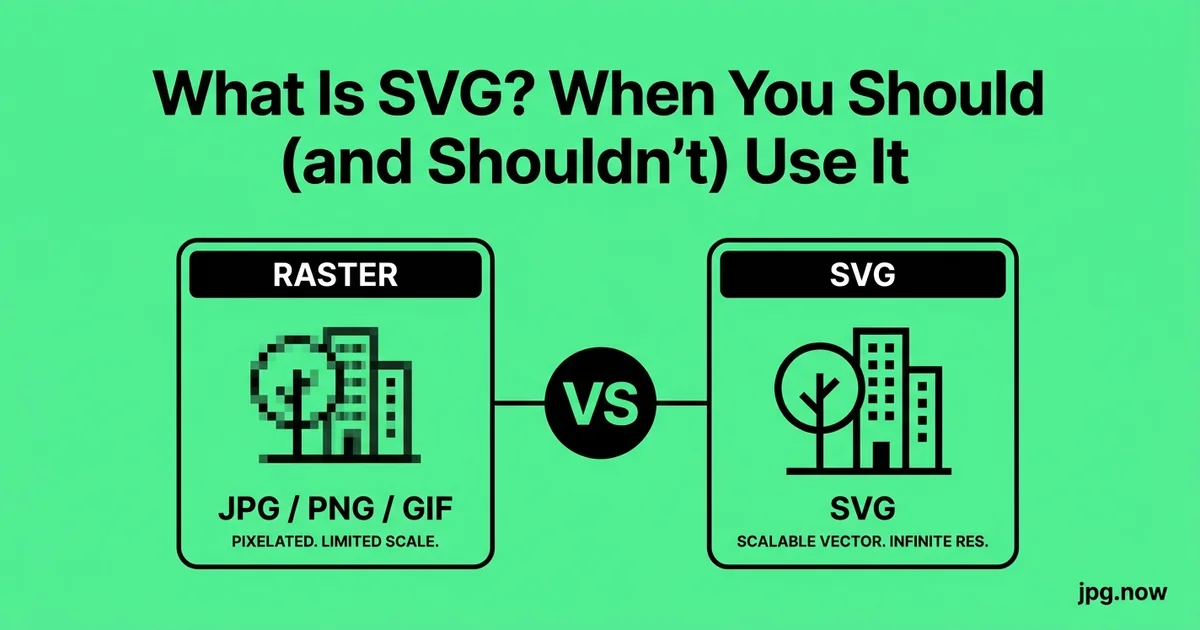
SVG stands for Scalable Vector Graphics. Unlike a JPG or PNG, an SVG file is not a grid of pixels — it is an XML document that describes shapes using math. A circle is not 10,000 colored dots, it is a single line of code that says "draw a circle of radius 50 centered at this point, fill it red." When the browser renders the SVG, it re-draws those instructions at whatever size you ask for. That is why SVG scales infinitely without blurring: there is nothing to blur.
The format was standardized by the W3C in 2001, lost a decade-long popularity contest to Flash, and only became mainstream when iOS killed Flash in 2010. Every major browser has supported SVG natively since around 2011, and tooling — Sketch, Figma, Illustrator, Inkscape — has matured to the point that producing SVG is now easier than producing optimized raster equivalents. Files are typically 1 to 20 KB, which is dramatically smaller than the equivalent bitmap at retina sizes.
Where SVG genuinely wins
Three use cases justify SVG without argument:
- Logos and brand marks. A logo lives at 24 px in a favicon and at 800 px on a billboard. An SVG handles both from one file. A PNG would need a sprite sheet of 6 sizes.
- UI icons. Heroicons, Lucide, Feather, and Phosphor all ship SVG sprites because a 16x16 icon needs to look crisp on a 3x DPR Retina display, and SVG does that without a 48x48 source PNG.
- Charts, diagrams, and infographics. Anything with sharp edges, flat fills, and text labels renders better as SVG than as a JPG screenshot of the same thing. D3, Chart.js, and Mermaid all output SVG natively.
The bonus win is that SVG is editable text. You can open a logo in any text editor, change the fill color from #FF0000 to your brand teal, and save. No Illustrator license required.
Where SVG fails, often badly
SVG is the wrong choice for anything photographic. A photograph has millions of subtle color gradations that cannot be expressed as a finite set of shapes. If you try to convert a 12-megapixel photo to SVG, you either get a 200 MB monster file (because every pixel becomes a shape) or you get a stylized poster effect (because an auto-tracer simplified the gradients into 12 flat regions).
SVG also struggles with:
- Complex shading and lighting. Game art, painted illustration, and anything with soft transitions belongs in PNG or WebP.
- Email clients. Outlook strips SVG outright. Use PNG fallbacks for any email artwork.
- Older PowerPoint and Word. Office 2016 and earlier sometimes embed SVG as a flat rasterized fallback, defeating the purpose.
- Print workflows that expect CMYK. SVG is RGB-only. A commercial printer wants EPS or PDF for vector art — convert through JPG to EPS or EPS to JPG when moving between print and screen.
Step-by-step: deciding and converting in practice
- Identify the artwork type. Open the source file. If it has hard edges, flat fills, and fewer than maybe 20 distinct colors, SVG is on the table. If it is a photograph or a painted illustration, stop here and use JPG to WebP or JPG to PNG instead.
- Locate the original. If there is a Figma, Sketch, Illustrator, or Inkscape source, export SVG from there. That gives you clean math-defined paths with named layers.
- If only a JPG or PNG exists, push it through JPG to SVG. Inspect the output — count the paths in a text editor or in DevTools. Under 50 paths is editable; over 500 is a trace soup.
- Clean and optimize. Run the SVG through SVGO with default settings. Expect a 30 to 60 percent reduction.
- Add accessibility metadata. Insert a
<title>and<desc>at the top of the SVG so screen readers can announce it. - Test in target environments. Render on Chrome, Safari, mobile Safari, and an Outlook desktop preview if email is in scope. If Outlook is in scope, also export a PNG fallback.
- Generate raster fallbacks. Use SVG to JPG at 2x display size for any platform that rejects SVG uploads.
- Ship and monitor. Watch DevTools network panel to confirm the SVG, not the fallback, is being downloaded on capable browsers.
Common mistakes and how to fix them
- Mistake: tracing a photo and calling it a vector. The result is enormous and uneditable. Fix: keep the photo as JPG or WebP and accept that not all images can be vectorized.
- Mistake: shipping an SVG with embedded base64 raster data. The file is technically SVG but behaves like a PNG. Fix: open the SVG in a text editor, find any
data:image/png;base64blocks, and either replace with linked references or rebuild from the original art. - Mistake: pasting Illustrator SVG export with megabytes of metadata. Adobe loves to embed XMP. Fix: run through SVGO with the
removeMetadataplugin enabled, which is the default. - Mistake: using SVG inside email and wondering why Outlook shows a blank box. Fix: ship a PNG fallback rendered via PNG at the exact target width.
- Mistake: hard-coding fill colors inside the SVG when you want CSS control. Fix: remove inline
fill=attributes and setfill: currentColorvia stylesheet so the icon inherits text color.
Real-world examples
GitHub's Octicons ship as a single SVG sprite, 12 KB gzipped, covering 200+ icons. The equivalent PNG sprite at 2x resolution would be roughly 280 KB. The page-load saving compounds across millions of pageviews.
Stripe's checkout uses SVG for every brand logo and payment-method icon. When Stripe added Klarna, Affirm, and Cash App in 2023, each addition was a single 2 KB SVG file rather than five PNG sizes per logo.
The New York Times graphics desk ships interactive election maps as SVG so that hovering a state shows tooltips and tapping highlights regions. The same map as a series of PNGs would require a completely separate event-handling system.
SVG vs raster formats at a glance
| Use case | SVG | PNG | JPG | WebP |
|---|---|---|---|---|
| Logo / brand mark | Best | OK | Avoid | OK |
| UI icon | Best | OK | Avoid | OK |
| Photograph | Avoid | OK (lossless) | Best | Best |
| Chart / diagram | Best | OK | OK | OK |
| Email artwork | Avoid (Outlook) | Best | Good | Avoid |
| Print (CMYK) | Avoid | Avoid | OK | Avoid |
Advanced tips
- Inline critical SVG instead of linking. A 1 KB inline SVG saves an HTTP round-trip and lets CSS animate it.
- Use SVG sprites for icon sets. One file, one cache entry, every icon referenced by
<use href="#icon-name">. - Animate with SMIL or CSS, not GIF. A 200-byte SVG with a stroke-dasharray animation replaces a 40 KB animated GIF spinner — and looks crisper.
- Subset to a viewBox you trust. Setting
viewBoxexplicitly prevents the SVG from inheriting a parent dimension and rendering weirdly. - Use
preserveAspectRatio="xMidYMid meet"for icons so they center inside their container without distortion. - Combine multiple optimization passes. SVGO followed by Brotli compression in the CDN can produce 40-byte responses for simple icons.
- Generate a PNG fallback automatically. A build step that runs
resvg in.svg out.pngbeside every SVG asset means you never ship without a fallback.
FAQ
Is SVG always smaller than PNG?
No. A simple icon yes; a 3,000-path traced photograph no. A complex SVG can be 500 KB while the equivalent PNG is 200 KB. Always check the actual bytes.
Can Google index text inside SVG?
Yes. Text inside SVG <text> elements is crawlable, which is one reason SVG diagrams perform well in search.
How do I make an SVG editable as a vector after tracing?
You usually cannot make a heavily-traced SVG meaningfully editable. The right move is to find or recreate the original vector source.
What about SVG for product photography on an ecommerce site?
Never. Product photography is photographic; use WebP with JPG fallback.
Does SVG work in PDFs?
Yes — modern PDF generators (Chromium print, Prince, weasyprint) preserve SVG as embedded vector. Older tools rasterize it.
How do I convert an SVG to a JPG for a thumbnail?
Use SVG to JPG at 2x the display dimension, then compress with Compress JPG.
Should I use SVG for a hero image?
Only if the hero is an illustration with flat shapes. For a photograph hero, AVIF or WebP is correct.
The decision tree, condensed
- Logo or icon, flat colors, sharp edges? Use SVG.
- Chart, diagram, or infographic? Use SVG.
- Photograph or painted illustration? Use JPG or WebP. Convert with the image converter.
- Email artwork? Use PNG. SVG will not render in Outlook.
- Platform rejects SVG? Rasterize at 2x display size via SVG to JPG or export a PNG.
If you are auditing a site for performance, replace bitmap icons and logos with SVG and replace SVG-traced photos with proper JPG or WebP. Both moves shrink page weight and sharpen visual quality. Run a single test asset through JPG to SVG right now — if it comes back as a clean editable file, you have a new pipeline. If it comes back as a 200-path mess, you have your answer about that asset type and you can stop trying. Pair the result with compress image and the image info tool to make sure the deliverables hit the targets you set.
SVG and the modern build pipeline
Modern frontend tooling treats SVG as a first-class citizen. In React, you can import an SVG file directly as a component (import { ReactComponent as Logo } from './logo.svg') and pass it props like any other component. In Vue, the same pattern works via vite-svg-loader. In Svelte, the SVG is just markup inside the component. This means a designer can hand off a single .svg file and the developer drops it in with no PNG export step.
For static sites, tools like SVGR convert SVG files into typed components at build time. The output is tree-shakeable, so unused icons get dropped from the final bundle. A 200-icon library shipped as SVGR components ends up being 30 KB gzipped because only the icons actually used on each page land in the chunk. The same library as PNG sprites would be 280 KB minimum, downloaded once for all pages whether you use 5 icons or 200.
SVG accessibility and ARIA
Because SVG is text, search engines can read it. Add a <title> and <desc> tag to any SVG you publish — it is the vector equivalent of alt text. Screen readers will announce them. For inline SVG used as an icon next to a label, use aria-hidden="true" so the screen reader does not double-announce.
If the SVG is the only label for an interactive element (a button with just an icon, no text), add role="img" and aria-label="Description" on the SVG element itself. This pattern beats hidden-but-visually-present text in test results from axe-core and WAVE tools. The same SVG file can be used in both contexts; the wrapping tag chooses the accessibility behavior.
SVG file-size reality check
People assume SVG is always smaller. Often it is — a single-color icon is 800 bytes vs. a 4 KB PNG. But a complex SVG illustration with 5,000 nested paths and embedded base64 raster fallbacks can hit 500 KB, larger than the equivalent compressed PNG. Run any SVG through SVGO before shipping; it strips metadata, collapses redundant paths, and rounds floating-point coordinates. Typical SVGO savings are 30 to 60 percent.
If your SVG contains embedded raster images (you will see "data:image/png;base64,..." inside the XML), that is no longer a true vector file. Strip those out, save the rasters separately, and reference them via <image href> tags or restructure the artwork. For team workflows, run an automated SVGO check in CI so contributors cannot accidentally commit a 500 KB SVG full of Illustrator metadata.
SVG animation: the underrated superpower
Because SVG is XML, every element can be animated with CSS or SMIL. A loading spinner that animates stroke-dasharray can replace a 40 KB animated GIF. Hover states on an icon can morph one shape into another with a 200 ms transition. Brand intro animations — the kind that used to require Lottie or After Effects renders — can ship as a 12 KB SVG with embedded animations.
The cost is browser-rendering CPU. A complex SVG animating 200 paths at 60 fps can pin a mid-range mobile CPU. For anything beyond simple icon animation, profile on a low-end Android device before shipping. If performance is borderline, fall back to a video element or a small Lottie file rendered via Lottie-web.
SVG for data visualization
If you have ever opened a New York Times interactive graphic, you have used SVG-powered data viz. The combination of D3.js and SVG dominates the chart-rendering world because vector shapes scale crisply, axis labels stay legible at every zoom level, and individual data points are real DOM elements you can attach events to. A bar chart in SVG is one <rect> per bar; tooltips, hover states, and animations all hang off those DOM nodes naturally.
The competing approach is canvas-based rendering (Chart.js, ECharts), which is faster for charts with thousands of points but trades away the ability to query individual elements via accessibility tools and search engines. For most editorial and dashboard contexts, SVG wins on accessibility, SEO, and developer ergonomics. Reserve canvas for genuinely large datasets — say, scatter plots with 10,000+ points — where SVG would create too many DOM nodes.
When designers ship "SVG" that is not really SVG
A common heartbreak: a designer hands you a file ending in .svg, you open it, and inside is a single <image href="data:image/png;base64,..."> wrapping a rasterized image. The SVG is just a wrapper around a PNG. The file is larger than a normal PNG (because base64 inflates by ~33 percent) and has none of the scaling benefits.
This usually happens when a designer exports a complex Photoshop file as SVG without first rebuilding it in vector form. The fix is conversation, not tooling: ask for the original vector source, or accept that the artwork is photographic and use a real PNG via PNG conversion. If the designer cannot produce real vector, push the PNG through JPG to SVG to see whether the auto-trace produces anything usable. Usually it does not, and the correct answer is to commit to raster.