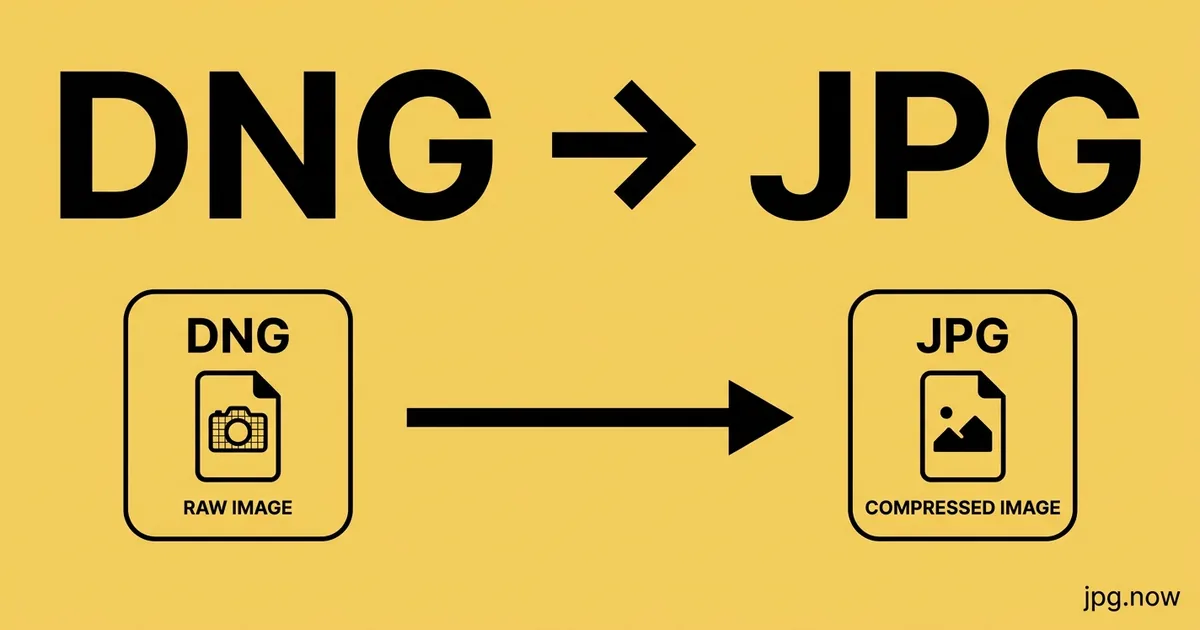
Convert DNG to JPG Online
Convert Adobe Digital Negative DNG files to JPG.


Drop your DNG file here
or click to select
How DNG to JPG works
Upload DNG
Drag & drop or click to select your DNG file.
Choose Options
Adjust quality, size, or other output settings if needed.
Download JPG
Click Convert and your JPG file downloads instantly.
About DNG to JPG conversion
DNG (Digital Negative) is Adobe's open RAW format, introduced in 2004 as a vendor-neutral alternative to the proprietary formats that every camera-maker invented independently. Pentax, Leica, Sigma, and Hasselblad ship DNG natively; almost every other camera's raw file can be converted to DNG using Adobe's free DNG Converter. iPhones since 2016 also write DNG when shooting in ProRAW mode.
Most DNGs reach the JPG converter from two paths: phone ProRAW captures (Apple, Google Pixel via the Camera app, some Samsung pro modes) and Lightroom users who archive their work as DNG for long-term portability. Either way, the destination doesn't accept DNG — Instagram, email, real-estate uploaders, photo books, and most print labs all want JPG.
The conversion applies a full RAW-processing pipeline: demosaicing, white balance, tone curve, and optional lens-correction metadata. DNG carries enough information to reproduce the original camera's intent, so the JPG output reflects the photographer's in-camera settings without manual editing.
Where JPG comes from
Adobe introduced DNG (Digital Negative) in September 2004 as an openly documented, royalty-free RAW container, hoping to end the format fragmentation across camera makers. Pentax, Leica, Ricoh, Sigma (for some bodies), Hasselblad, and Apple's iPhone ProRAW write DNG natively, and Adobe's DNG Converter can repackage almost any proprietary RAW. The format is based on TIFF/EP, supports linear and lossy encodings, and is the only RAW container with an ISO standard reference. Current Leica Q3, M11, Pentax K-3 III, and Sigma fp bodies all ship DNG straight from the card.
DNG vs JPG at a glance
| DNG | JPG | |
|---|---|---|
| Bit depth | Typically 12 or 14-bit linear | 8-bit per channel |
| Compression | Lossless or optional lossy DNG | Lossy DCT (JPEG) |
| Dynamic range | ~12-14 stops depending on sensor | ~9 stops |
| File size | 20-80 MB depending on source | 4-12 MB |
| Editing latitude | Wide and openly documented | Limited |
| White balance | Adjustable post-capture | Baked in |
Real-world workflow — Real-estate shooter exports MLS-ready images
- Capture interiors on a Pentax K-1 II or Leica Q3 that writes DNG natively.
- Import to Lightroom, apply lens corrections, and balance window pulls against tungsten interiors.
- Sync settings across the bracketed set and pick the cleanest blended frame.
- Export to sRGB JPG, long edge 1500 px, quality 80 to meet most MLS upload limits.
- Keep the DNGs in the listing folder so the agent can request reshoots without a return visit.
Recommended conversion settings
| Use case | Settings |
|---|---|
| Real-estate MLS upload | sRGB JPG, long edge 1500 px, quality 80 |
| Stock photo submission | Full-resolution JPG, quality 95, sRGB |
| Web portfolio | sRGB JPG, long edge 2048 px, quality 78 |
| Print master | Adobe RGB JPG, quality 100, native resolution |
| Phone ProRAW share | Display P3 JPG, quality 85, long edge 2048 px |
Where will your JPG file open?
| Platform | DNG | JPG |
|---|---|---|
| macOS Preview | ✓ | ✓ |
| Windows Photos | ~ | ✓ |
| iPhone Photos (Apple ProRAW) | ✓ | ✓ |
| Lightroom Classic | ✓ | ✓ |
| Capture One | ✓ | ✓ |
| Photoshop / Camera Raw | ✓ | ✓ |
| Adobe DNG Converter | ✓ | ✓ |
| Web browsers and social platforms | ✗ | ✓ |
When to convert DNG to JPG
RAW files are the unprocessed sensor output from a digital camera - They contain more data, more dynamic range, and more editing flexibility than JPG, but they cannot be viewed or shared without specialist software. Converting RAW to JPG is the essential last step in any photography workflow that ends in sharing, printing, or publishing.
Photographers shooting in RAW do so to preserve maximum editing latitude: highlight recovery, shadow lifting, white balance adjustment, and noise reduction all benefit from having the full raw sensor data. Once editing is complete in Lightroom, Capture One, or a similar RAW editor, the JPG export is the deliverable - The file that goes to the client, the photo agency, the wedding album, or the magazine.
When RAW editing software is not available - Such as on a shared computer, a friend's machine, or when editing time is limited - A direct RAW-to-JPG conversion applies automatic white balance and tone mapping to produce a clean, viewable JPG without requiring any manual adjustments. This is ideal for quick previews, proof sheets, and sharing photos straight from the camera.
DNG to JPG tips
- If your DNG came from an iPhone in ProRAW mode, expect a much larger file size (40–60 MB per shot) and a corresponding 8–12 MB JPG at quality 95.
- DNG files from Adobe DNG Converter (re-wrapped from CR2/NEF/ARW/RAF) carry the original camera's metadata. The JPG output matches what the source camera would have produced.
- Lightroom's 'embedded preview' inside a DNG can sometimes be re-saved as the JPG directly — but for full RAW reprocessing (highlight recovery, noise reduction), use the dedicated converter.
- If you shoot Apple ProRAW, the DNG already includes Apple's Deep Fusion processing. The JPG will reflect that — you don't need to add extra sharpening downstream.
- Pentax photographers can choose between PEF and DNG in-camera; DNG is the safer long-term archive choice, and JPG export works identically from either.
Why use this DNG to JPG converter
Related tools
Formats involved
DNG – Digital Negative (Adobe)
JPG – Joint Photographic Experts Group
DNG to JPG tips
- Use the Daylight white balance preset for outdoor shots taken in natural light — Auto works for most mixed-light situations.
- Set quality to 90–95 when converting RAW to JPG for archival or editing purposes; use 75–85 for web sharing.
- RAW conversion cannot recover focus or exposure errors — adjust in Lightroom or similar software before converting if the shot needs work.
- JPG from RAW is a one-way process; keep the original RAW file if you may want to re-edit the image later.
DNG to JPG — frequently asked questions
Related guides & articles
Maybe you wanted something else?
- Source was a proprietary RAW first → Generic RAW to JPG
- Need a 16-bit master before export → JPG to TIFF
- Bundling a listing brochure → JPG to PDF
- Trimming final files for the web → Compress JPG
Articles you might like
Related conversions
 PNG → JPG
 WebP → JPG
 HEIC → JPG
 PDF → JPG
 RAW → JPG
 TIFF → JPG
 BMP → JPG
 SVG → JPG
 GIF → JPG
 JPG → JPG
Embed this tool on your website