
Legal Evidence Photo Specs: Metadata, Hash, and Chain-of-Custody Basics
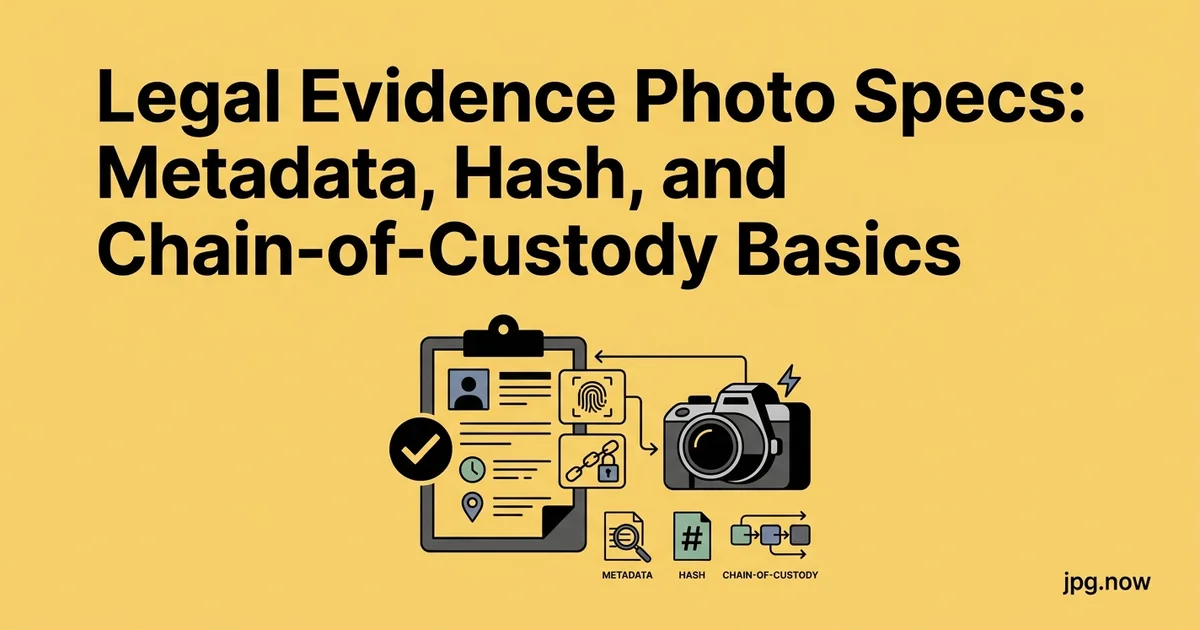
A JPG sitting in your attorney's email inbox can be a perfectly admissible piece of evidence or a defense team's favorite cross-examination prop, depending on how it was handled between the camera shutter and the courtroom. The difference is a discipline of habits that take 30 extra seconds per photo and answer every "are you sure this is the original?" question with a one-sentence reply backed by a 64-character hash. This guide is what attorneys, claims adjusters, and investigators actually do to keep photo evidence defensible.
What follows covers original-file preservation, EXIF analysis, SHA-256 hashing for chain of custody, acceptable derivative operations, and the common attacks that opposing counsel will try at deposition or trial. None of it requires specialized software; all of it requires consistent habits. Adopt the workflow on one matter and you will never go back.
Background: what "defensible" means for digital photos
Under Federal Rule of Evidence 901, a photograph is admissible if a witness can authenticate it: testify that the photo accurately depicts what it purports to show. In practice, opposing counsel attacks photos on three fronts: chain of custody (who had the file when, and can you prove it was not altered), metadata integrity (does the EXIF data match the witness's story), and best evidence (is this the original or a derivative copy, and have you produced the original?). A defensible workflow answers all three before they are asked.
The original file rule
The single most important habit is preserving the original, untouched file from the moment of capture. Copy the JPG (or HEIC, or RAW) off the camera or phone to a write-once location and never open it for edits. Every working copy descends from a copy. If opposing counsel asks for the original, you produce the byte-identical file with its original timestamps and metadata intact. A photo that has been opened, color-corrected, and resaved has had its file modified, which gives the other side an attack surface.
Step-by-step: defensible photo intake
- Capture with the camera app, not a screenshot. Screenshots strip EXIF and break authentication.
- Transfer via cable or AirDrop, not Messages or email. Many transfer paths re-encode or strip metadata.
- Copy to a write-once location. Cloud storage with version history or an immutable archive.
- Hash the file with SHA-256. `shasum -a 256 photo.jpg` on macOS/Linux; `Get-FileHash` in PowerShell.
- Log the hash, source, and chain. Filename, hash, who from, when, where stored, brief description.
- Inspect EXIF. Use our image info tool to record camera, timestamp, GPS, and any anomalies.
- Create derivative working copies separately. Crop, rotate, package as PDF in copies; never touch the original.
- Re-hash on production. Before producing to opposing counsel, re-hash and verify against the original log.
EXIF: what it proves and what it doesn't
The EXIF block embedded in a JPG can include camera make and model, the exact date and time, GPS coordinates, lens, aperture, shutter speed, ISO, and the image's original pixel dimensions. EXIF is useful corroborating evidence because most witnesses cannot reproduce a custom EXIF block from a specific camera body, but it is not tamper-proof on its own. Tools to edit EXIF exist and any examiner knows about them. Inspect EXIF on any file with our image info tool.
Hash verification: the chain-of-custody backbone
SHA-256 hash the original file the moment you take custody. Record the hash in a contemporaneous note or evidence log. Any later challenge that the file has been altered is answered by re-hashing the file you produced and comparing to the recorded hash. The hash is a 64-character hexadecimal string; if even one byte changed, the hash is completely different. Free tools: `shasum -a 256 photo.jpg` on macOS and Linux, `Get-FileHash` in PowerShell.
What conversions are acceptable for delivery
Deliver the original byte-identical file as the primary exhibit. When you need a working print, deposition exhibit, or trial slide, create a derivative copy and label it clearly. Acceptable derivative operations: rotating the image to upright orientation, cropping to draw attention to a portion (keep the original full-frame too), and converting to PDF for exhibit packaging. Unacceptable without disclosure: color correction, brightness or contrast changes, sharpening, and resizing that throws away pixels. Run a compression pass only on copies, never on the master.
Common mistakes (and how to fix them)
- Mistake: opening the original in Photoshop to look at it more closely. Even just opening can update timestamps on some systems. Fix: always work from a copy.
- Mistake: screenshotting the photo from the phone gallery. Strips EXIF, creates a fresh file. Fix: AirDrop or cable transfer the actual file.
- Mistake: rotating the original instead of a copy. Even rotation may re-encode in some viewers. Fix: rotate copies; keep originals as-shot.
- Mistake: forgetting to log the hash at intake. Fix: hashing takes 2 seconds; do it before doing anything else.
- Mistake: emailing the photo as an attachment without testing. Some mail providers compress attachments and break EXIF. Fix: send via secure file-share that preserves bytes.
- Mistake: not documenting HEIC-to-JPG conversion. Fix: when converting iPhone HEIC to JPG, log the conversion as a derivative step with new hash.
Real-world examples
Personal injury case. Plaintiff photographed slip-and-fall scene with iPhone immediately after the incident. EXIF timestamps matched 911 call timestamps within 90 seconds. SHA-256 hash logged at attorney intake. Defense expert challenged authenticity; attorney produced the hash log and a fresh re-hash matched. Authenticity stopped being an issue.
Insurance fraud investigation. Claimant produced photos of damaged property. EXIF showed timestamps three months before the alleged date of loss. Insurer's investigator inspected with EXIF tooling, flagged the discrepancy, and the claim was denied.
Family law custody dispute. Photos of a child's living conditions submitted as exhibits. Opposing counsel claimed they had been edited. Attorney's chain-of-custody log showed hashes from intake and the produced files matched exactly. Allegation collapsed.
The "screenshot of a photo" trap
An investigator who screenshots a photo from a phone gallery strips all EXIF, all timestamps, and replaces the original file format with a fresh screenshot encoded by the OS. The resulting file looks correct but is forensically nearly worthless. Always export the actual file, not a screenshot. The same trap applies to text-message photo evidence: extract the file from the messaging app's storage, not a screenshot of the message thread.
iPhone and Android quirks
iPhones save in HEIC by default. The original photo is HEIC; converting to JPG creates a new file with a new hash. The defensible workflow is to preserve the HEIC original, then create a JPG derivative for opposing counsel or court if they need it, using HEIC to JPG, and document the conversion in your file notes. Android save formats vary by manufacturer; check whether the device captures HEIC, JPG, or DNG and treat each as an original.
Comparison: defensible vs problematic workflows
| Step | Defensible | Problematic | Why |
|---|---|---|---|
| Transfer from phone | AirDrop, cable, MDM | Email, MMS, screenshot | Lossy paths strip EXIF |
| Storage | Immutable archive with hash | Local Desktop folder | Editability creates attack surface |
| Working copy | Separate file, hash-tracked | Edit the original | Best-evidence rule |
| Format conversion | Documented derivative with new hash | Quiet HEIC-to-JPG, original lost | Conversion is a derivative event |
| Production | Originals + working copies + log | Just the working copy | Opposing counsel demands originals |
Metadata stripping: when and when not
Some witnesses and clients are nervous about GPS coordinates being shared in produced photos. Strip GPS only on derivative copies clearly labeled as such. Do not modify the original file. If the case involves location as a material fact, the GPS data is itself evidence and stripping it could be a discovery problem.
Building exhibit packages
For deposition or trial, combine the photo, a one-page caption with date, time, photographer, and hash, and any annotations into a multi-page PDF using JPG to PDF. Number exhibits consecutively. Keep the original file separately archived; the PDF is a working exhibit, not a replacement for the source.
Side-by-side comparisons
When you need to show a "before and after" or a comparison between two photos, use our image compare tool to produce a clean side-by-side that preserves both originals' aspect ratios without distortion. Label which is which on the exhibit caption page.
Practical chain-of-custody log entries
A defensible log entry for each photo includes: filename, SHA-256 hash, the date and time it was received, who received it from whom, where it was stored, any derivative files created and their hashes, and a one-line description. Five fields per photo, kept in a spreadsheet or case management system. Cumulatively, this is the difference between a smooth foundation laid at trial and an objection that wastes 20 minutes.
Common attacks and how the discipline answers them
"How do we know this hasn't been altered?" Hash matches the one logged at intake. "How do we know the timestamp is real?" EXIF block is intact and matches independent corroborating evidence. "Did you crop or edit?" Working copy is cropped; original is in evidence with the full frame. "What format conversions occurred?" Documented in the log with timestamps. With the originals preserved and the log clean, the answer to each challenge is a sentence.
Body-worn camera and dashcam considerations
Body-cam and dashcam footage extracted as still JPGs has its own quirks. Many camera systems write proprietary metadata blocks that survive only in the manufacturer's player; export to a clean JPG strips those blocks and can complicate later authentication. When you need a still from body-cam footage, document the source video's hash, the timecode of the still, and the extraction tool used. Treat the still and the source video as paired exhibits.
Advanced tips
- Use ExifTool for forensic-grade EXIF read. More thorough than most consumer tools; reveals manufacturer-specific MakerNotes blocks.
- Verify camera fingerprint via PRNU. Photo Response Non-Uniformity analysis can tie a photo to a specific physical camera sensor. Hire an expert when needed.
- Hash with multiple algorithms. SHA-256 is standard; MD5 alongside is harmless redundancy.
- Time-stamp the hash with a notary or RFC 3161 server. Cryptographically anchors the hash to a verifiable moment in time.
- Photograph the device clock alongside critical evidence. Captures the phone's time setting in the EXIF, useful if clock-drift questions arise.
- Preserve thumbnails separately. Embedded JPEG thumbnails in EXIF can differ from the main image and sometimes reveal pre-edit versions.
- Build a standard evidence-intake checklist. Every paralegal uses the same five-field log; consistency across matters is a credibility multiplier.
FAQ
Is a phone photo admissible in court?
Yes, with proper authentication. Most courts treat phone photos like any other photographic evidence under FRE 901.
Does EXIF prove the photo wasn't altered?
No. EXIF can be edited. The combination of EXIF + hash + chain-of-custody log is what makes the case.
Do I need to keep the original phone?
Helpful but not required. The original file is what matters, plus the log showing how it was extracted.
What about cloud-only photos (iCloud, Google Photos)?
Download the original from the cloud service's "Get Originals" or equivalent option. The cloud-served preview is a derivative.
How long should I keep the original?
At least through the conclusion of the matter and any appeal period. Many firms keep originals indefinitely as part of the case file.
Can I use Live Photos as evidence?
Yes; the Live Photo contains a still and a short video. Treat both as evidence with separate hashes.
What if I only have a screenshot?
Use it but disclose that it is a screenshot, not the original. The original on the source device (if available) is the better evidence.
Expert witnesses for image authentication
For high-stakes matters where photo authenticity is contested, retain a digital forensic expert early. These experts can authenticate via EXIF analysis, sensor noise fingerprinting (PRNU), file structure analysis, and comparison against control images from the same device. The investment ($3,000-$15,000 for typical engagement) is dwarfed by the cost of an evidence exclusion ruling at trial.
Storage and retention
Original photo evidence should live in immutable storage with version history (Amazon S3 with Object Lock, Box with retention policies, or a court-approved evidence locker service). Working copies live in your matter management system. Hash logs live in a Git repository or your case management system with audit trail. Retention typically matches the matter's record retention policy, which for many cases is the matter close date plus 7 years.
Producing photos as part of discovery
When you produce photos as part of discovery, accompany them with a brief metadata sheet listing for each file: filename, SHA-256 hash, EXIF DateTimeOriginal, camera make and model, photographer (if known), GPS coordinates (if present), and any derivative operations performed. This proactive disclosure shortens the foundation laying at deposition and forecloses many authentication objections.
Working with paralegals and litigation support
The chain-of-custody discipline only works if everyone touching the file follows it. Train your paralegals and litigation support team on the hash-and-log workflow. Build a one-page intake protocol that lives on every workstation. The biggest failure mode is not malice but inconsistency: one person hashes at intake, another opens the file in Preview "just to look at it," and the file's modification timestamp changes. Consistency comes from training and tooling, not memos.
Deepfakes and synthetic media
The arrival of generative AI image tools has made authentication harder. A skilled adversary can produce a convincing fake photo of an event that never happened. EXIF metadata can be fabricated. The defensive response is depth: hash at intake, photograph the device clock alongside the subject, use cryptographically time-stamped hash logs (RFC 3161), and where stakes are high, hire an expert to do PRNU sensor-noise analysis tying the photo to the actual physical camera. None of these defenses are perfect; all of them raise the cost of a fake significantly.
Cloud and mobile-device extraction
Modern photo evidence increasingly lives in iCloud, Google Photos, and other cloud services. Extracting in a defensible way means using the service's official "Get Originals" export rather than downloading a re-encoded copy from the web viewer. For iPhones in litigation, professional forensic tools like Cellebrite or GrayKey can extract complete photo libraries including deleted items; for less critical cases, the user's iCloud download archive (Settings > Apple ID > Privacy > Get a copy of your data) provides originals with timestamps intact.
International evidence considerations
Cross-border cases add complexity. GDPR restricts certain types of metadata transfer. Some jurisdictions require specific evidence preservation procedures (e.g., the UK's ACPO guidelines for digital evidence). When in doubt, consult local counsel before producing photos to opposing parties in another jurisdiction; the rules for what must accompany the photo (chain of custody, hashing, EXIF preservation) vary.
Where to start
Pick one matter on your desk, run the originals through image info to see what EXIF is present, compute SHA-256 hashes, and start the log. The habit costs minutes per matter and pays off in the moment opposing counsel realizes there is nothing useful to attack. Browse our other tools for the conversion, compression, and PDF-packaging steps you will use along the way.
Pair this workflow with HEIC to JPG for iPhone derivatives, JPG to PDF for exhibit packaging, and image info for EXIF inspection. The next deposition is closer than you think; a clean log is worth its weight in gold.