
Real Estate MLS Photo Requirements (US, Canada, UK)
Different countries' MLS systems demand different max-pixel counts and orientations. The full table, by region, with what to convert before uploading.
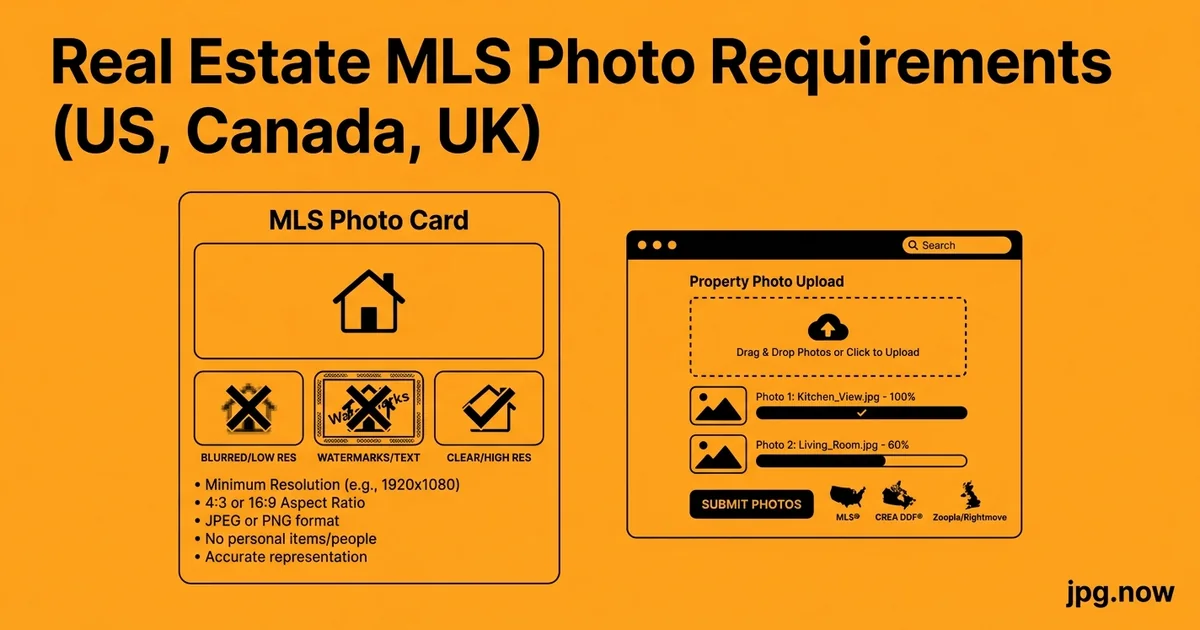
You shot a Toronto townhouse on Tuesday, processed the photos Wednesday, and discovered Thursday that the local MLS rejected half the images because they exceeded the 8-megapixel cap. The agent is unhappy, the listing goes live a day late, and you spent the morning re-exporting at lower resolution.
The problem is not the photos. The problem is that MLS systems across the US, Canada, and UK each have different image specs, and a regional shooter working multiple markets needs to know all of them. A 2,400-pixel JPG that flies through CRMLS in California is rejected by TRREB in Toronto. A file that passes Rightmove in London chokes Stellar MLS in Florida. This is the working photographer's reference table, with the conversion notes that prevent rejections and the universal-safe baseline that works across every system in the table.
Background: why MLS specs vary
There is no single MLS. The United States alone has more than 600 local MLS organizations, most syndicating to one of three national aggregators (Bright MLS in the mid-Atlantic, CRMLS in California, Stellar MLS in Florida, plus regional siblings). Canada uses CREA's national feed but local boards layer additional specs. The UK runs through Rightmove and Zoopla directly rather than a unified MLS. Each has different pixel limits, aspect-ratio expectations, and file-size ceilings.
The reasons for variation are historical. Older systems were built when bandwidth and storage cost more, so they capped images aggressively. Newer systems inherit the constraints because changing the spec means re-encoding millions of historical listings. The result is a patchwork that frustrates photographers but is genuinely difficult to unify.
The reference table
| Region / Platform | Max pixels (long edge) | Aspect ratio | Max file size | Format | Image count |
|---|---|---|---|---|---|
| US Bright MLS | 1,920 | 4:3 or 3:2 | 10 MB | JPG | up to 100 |
| US CRMLS | 2,048 | 3:2 preferred | 10 MB | JPG | up to 75 |
| US Stellar MLS | 1,920 | 4:3 or 3:2 | 10 MB | JPG | up to 50 |
| US REcolorado | 2,048 | 3:2 | 5 MB | JPG | up to 50 |
| Canada CREA / Realtor.ca | 2,048 | 4:3 or 3:2 | 10 MB | JPG | up to 30 |
| Canada TRREB (Toronto) | 2,048 | 4:3 preferred | 5 MB | JPG | up to 40 |
| UK Rightmove | 2,048 | 4:3 | 10 MB | JPG | up to 40 |
| UK Zoopla | 1,920 | 4:3 or 16:9 | 10 MB | JPG | up to 30 |
The numbers shift slightly year to year. If you shoot for a market regularly, check the current local board specs once per quarter.
The universal safe baseline
If you do not want to remember every system, export at 1,920 pixels on the long edge, 4:3 aspect ratio, JPG quality 88, under 4 MB per file. This passes every MLS in the table and almost every secondary feed. The agents who feed multiple boards will thank you.
Step-by-step walkthrough: shoot to MLS-ready delivery
- Shoot RAW at 3:2 native ratio. Crop to 4:3 in post if the local board prefers it.
- Bracket exposures for interior shots with bright windows. Three-frame or five-frame bracket merged to HDR.
- Develop in Lightroom or Capture One. Apply lens correction, neutral white balance, soft tone curve.
- Build two export presets. MLS tier: 1,920 px, 4:3, sRGB, quality 88, under 4 MB. Marketing tier: full resolution, sRGB, quality 95, native ratio.
- Convert any HEIC sources from the agent via heic-to-jpg. Before any further processing.
- Compress the MLS tier through compress-jpg. Faster upload on agent's home Wi-Fi.
- Name files in delivery order: Address_001 through Address_NN. Saves the agent 15 minutes per listing.
- Deliver two zipped folders to the agent. MLS folder and Marketing folder, clearly labeled.
iPhone-shot photos from agents
The most common scenario is the listing agent sending you HEIC files they shot themselves and expecting you to fold them into the deck. HEIC is not accepted by any MLS in the table. Convert through the HEIC to JPG converter before doing anything else. The conversion strips HEIC's HEIF container and outputs a clean sRGB JPG that any system accepts.
Resizing without quality loss
Your original RAW export is probably 5,000 to 8,000 pixels wide. Resizing down to 1,920 pixels for MLS is straightforward in Lightroom (Image Sizing tab in export) or Photoshop (Image > Image Size with Bicubic Sharper). Avoid resizing the same file twice — quality compounds badly. Resize once from the master, save out the MLS version, and archive the full-res master separately.
The compression step
A 1,920-pixel real estate JPG at quality 88 averages 700 KB to 1.2 MB. Most MLS systems re-compress on upload anyway, so feeding them a smaller file makes no difference to the final delivered image. Push your MLS export through the JPG compressor to drop another 25 to 40 percent and your upload speed improves noticeably on the agent's home Wi-Fi.
HDR brackets and the JPG output question
Most professional real estate work uses three- or five-bracket HDR for interior shots with bright windows. Merge in Lightroom or Photomatix, develop the resulting 32-bit file, and export as 16-bit TIFF for editing then convert to JPG for delivery. Use the TIFF to JPG converter for the final step if you delivered TIFF previews to the agent for review and now need MLS-ready files.
Aspect ratio gotchas
MLS thumbnails crop to 4:3 even if you upload 3:2. A composition that looks balanced in 3:2 may have a chandelier cut off in the thumbnail. Test by viewing the listing on the actual platform after a sample upload. For agents who publish to both Realtor.ca and Rightmove, deliver 4:3 to be safe. Use the aspect ratio calculator when planning crops that need to satisfy multiple platforms.
Drone shots and the MLS pixel cap
DJI Mavic 3 and Air 3 drones shoot 20 to 48 megapixels at the source. The MLS cap of 1,920 to 2,048 pixels on the long edge is a fraction of native resolution. Convert drone RAW through the DNG to JPG converter if you do not have the body's editor installed, then resize as part of the same workflow.
Common mistakes and how to avoid them
- File too large. Diagnosis: MLS upload rejects a file. Fix: almost always a HEIC that was not converted, or a 12 MB master JPG that should have been resized.
- Wrong format. Diagnosis: PNG or HEIC rejected outright. Fix: convert through png-to-jpg or heic-to-jpg.
- Wrong colour space. Diagnosis: Adobe RGB exports look desaturated after MLS auto-converts to sRGB. Fix: always export sRGB.
- Image count exceeded. Diagnosis: extra images silently dropped from the listing. Fix: cull to the agent's brief, do not deliver every frame.
- Watermark in upper-left. Diagnosis: MLS branding overlay covers your watermark. Fix: place any watermark in the bottom-right.
- Wrong aspect ratio for the platform. Diagnosis: chandelier cropped out of thumbnail. Fix: deliver 4:3 for safety across Realtor.ca and Rightmove.
Real-world examples
Carlos, real estate photographer, Miami. Works across Stellar MLS and Bright MLS for agents who hold dual-state licenses. Single-export preset at 1,920 px 4:3 quality 88 satisfies both. Compresses through compress-jpg before agent delivery. Average shoot-to-delivery: 90 minutes for 25 frames.
Lena, multi-board freelancer, Greater Toronto Area. Shoots for agents listing on TRREB and CREA. TRREB caps at 5 MB; her workflow always compresses to under 3 MB to give buffer. Drone work for premium listings goes through dng-to-jpg for the rare jobs where she does not have access to her main editing rig.
James, UK estate-agent photographer, Cotswolds. Rightmove and Zoopla feed simultaneously. Delivers 4:3 ratio for Rightmove compatibility. Floor plans go as PDF for brochures and JPG (converted via pdf-to-jpg) for the listing photo set.
Photo sequence that sells listings
Within the MLS image-count cap, the ordering matters as much as the spec compliance. A typical sequence:
- Front exterior, level eye-line, midday or twilight
- Living room (entertaining space)
- Kitchen
- Primary bedroom
- Primary bathroom
- Additional bedrooms
- Additional bathrooms
- Dining room
- Outdoor space (deck, patio, yard)
- Garage and storage
- Special features (fireplace, walk-in closet, smart home, pool)
- Floor plan (last)
Drone-shot exterior and rear-yard views slot into positions 2 and 3 for premium listings where the lot or location is the selling point.
White balance and twilight processing
Twilight exterior shots are the highest-converting hero image for premium listings, but they are also the trickiest to process. Mixed colour temperatures — exterior sky at 4500K, interior lights at 2800K, landscape lights at 3200K — fight each other. The solution is multi-exposure blending: bracket five frames, develop each at its dominant colour temperature, blend in Photoshop or Lightroom's HDR Merge with selective masking. Export at full resolution sRGB JPG quality 95 for marketing, downsize to MLS spec for the listing upload.
The two-file delivery to the agent
Deliver two zipped folders to the agent:
- MLS folder: 1,920 px, JPG, 4:3 ratio, sRGB, quality 88, under 4 MB each
- Marketing folder: full resolution, JPG, native ratio, sRGB, quality 95, for brochures and social
Naming convention: PropertyAddress_001 through PropertyAddress_NN, ordered as you want them to appear in the listing. Agents who get pre-ordered folders save 10 to 15 minutes per listing and refer you to colleagues for it.
Floor plans, 360 tours, and the JPG question
Floor plans go out as PDF for print and JPG for MLS. If you produce floor plans as PDF, convert to JPG with the PDF to JPG converter at 1,920 pixels on the long edge. 360 panoramas live on Matterport or Kuula and are not uploaded to MLS directly, but you can extract still frames from the equirectangular master if the listing needs them.
Advanced tips
- Save per-board export presets in Lightroom. One click for TRREB, one for CREA, one for Rightmove. Saves cognitive load during peak season.
- Use the DPI converter if a print brochure spec calls for 300 DPI at a specific physical size. Print labs sometimes reject files without explicit DPI metadata.
- Strip GPS EXIF for privacy on owner-occupied homes. Some agents require it; most do not, but checking is the right default.
- Test on the actual platform. Upload a sample to a draft listing and view it on mobile. Catch ratio issues before the live publish.
- Build agent-onboarding email templates. Include the table above so agents know what they will receive.
- For premium listings, deliver a separate "social tier" at Instagram-ready 1:1 crops. Agents post immediately; you get tagged.
- Archive RAW + full-res JPG for 18 months minimum. Re-edits happen when listings expire and relist.
FAQ
What MLS spec is most common in the US?
1,920 to 2,048 px long edge, 4:3 or 3:2 aspect, JPG, under 10 MB. The universal safe baseline of 1,920 px 4:3 88-quality passes virtually everywhere.
Does Rightmove accept HEIC?
No. Convert via heic-to-jpg before upload.
What aspect ratio does TRREB prefer?
4:3 preferred, though 3:2 is accepted. Deliver 4:3 to avoid thumbnail cropping issues.
Can I deliver drone shots through the standard MLS pipeline?
Yes. Resize to the local cap (1,920 to 2,048 px), maintain 4:3 ratio, compress through compress-jpg.
Why does my Adobe RGB export look washed out on the MLS listing?
The MLS strips ICC profiles below sRGB on upload. Export sRGB to avoid the cast.
How do I handle floor plans for MLS?
Convert from PDF to JPG via pdf-to-jpg, resize to 1,920 px long edge, upload as a regular listing image.
What about virtual staging?
Virtually staged images are accepted by all major MLS systems as long as they are labelled as "virtually staged" in the listing description. Image specs are the same as normal photos.
Tool comparison for MLS-bound delivery
| Tool | Strength | Best use | MLS-ready in one click? |
|---|---|---|---|
| Lightroom Classic | Custom export presets per region | High-volume regional shooter | Yes with saved preset |
| Capture One | Best HDR merge for interiors | Premium listings, twilight | Yes with recipe |
| Photoshop + actions | Heavy retouching, sky replacement | Premium / luxury tier | Manual export |
| Preview (macOS) | Quick resize and JPG export | One-off conversions | Yes for basic crop+resize |
| heic-to-jpg browser | Agent-shot iPhone files | Mixed-source listings | Yes for HEIC normalisation |
| compress-jpg browser | Under-the-cap file shrinking | Final pre-upload step | Yes |
Twilight, blue hour, and golden hour: when to shoot what
The "best" shooting time depends on the listing tier and the front-elevation orientation. Twilight (15 minutes after sunset) is the highest-converting hero image for premium listings — the warm interior lights against a deep blue sky telegraph "this home is alive and inviting." Blue hour (30 to 60 minutes after sunset) is dramatic but tricky to balance. Golden hour (the hour before sunset) is warm and forgiving and works for most non-premium listings.
For interiors, shoot during the brightest part of the day to minimise the dynamic range gap between windows and walls. Late morning to mid-afternoon is typically ideal. Avoid direct sunlight pouring through south-facing windows — the contrast becomes unmanageable.
Privacy and anonymisation
Family photos on walls, mail with addresses visible, kids' drawings on the fridge, license plates on parked cars — all need to be removed in post. The photo editor handles content-aware fill for most cases. For more complex removals, Photoshop's generative fill or Affinity Photo's inpainting tools take 30 seconds per frame.
Lens choice for real-estate interiors
A 16-35mm full-frame zoom is the workhorse for interior work. 16-18mm captures full room context without excessive distortion; 24-28mm handles tighter compositions and detail shots. Avoid going wider than 14mm — extreme wide-angle distortion makes rooms look unnatural and triggers MLS rejection in some boards. For exteriors, 24-70mm covers most listings; tighter shots of architectural details benefit from 70-200mm range.
Storage and archive practices for real-estate shooters
A working real-estate photographer producing 4 to 8 listings per week generates 50 to 150 GB of RAW per month plus the JPG deliverables. Listings expire, relist, and reappear under new agents 6 to 18 months later — meaning the archive matters longer than it does for one-off portrait work. Three-tier archive practice: hot tier (last 90 days, internal SSD), warm tier (90 days to 2 years on NAS), cold tier (Backblaze B2 or Wasabi beyond 2 years). Always keep the final delivered JPG sets in hot or warm tier indefinitely; agents call back asking for "that photo from last summer" more often than you would expect.
Liability and image licensing
The photographer typically retains copyright in the US, UK, Canada, and most EU jurisdictions unless the contract specifies work-for-hire. The agent gets a licence for MLS and marketing use; the photographer retains the right to use the images in their own portfolio. Build this into your contract template. For Australian and New Zealand shooters, the default is similar but check local statute — some jurisdictions assign copyright differently for commissioned commercial work.
Branding and watermarking the marketing tier
MLS uploads must be unbranded. Marketing tier (brochures, agent websites, social media) can carry your studio brand. Build two export presets: MLS preset with no watermark, marketing preset with subtle bottom-right watermark at 20-25 percent opacity. Watermark placement matters — bottom-right because MLS systems often crop or overlay the top.
Final checklist
- Resized to local MLS spec
- Converted to sRGB JPG
- Compressed under file-size limit
- Ordered and named correctly
- HEIC sources from the agent converted before processing
Bookmark the table above. Convert non-JPG sources through heic-to-jpg, png-to-jpg, pdf-to-jpg, or dng-to-jpg as needed. Run your MLS export through compress-jpg before delivery. Use the aspect ratio calculator when planning crops. Your rejection rate drops to zero and your agent calls you for the next listing.