
AI Image Generation Tool Comparison: Output Quality, Licensing, and Export
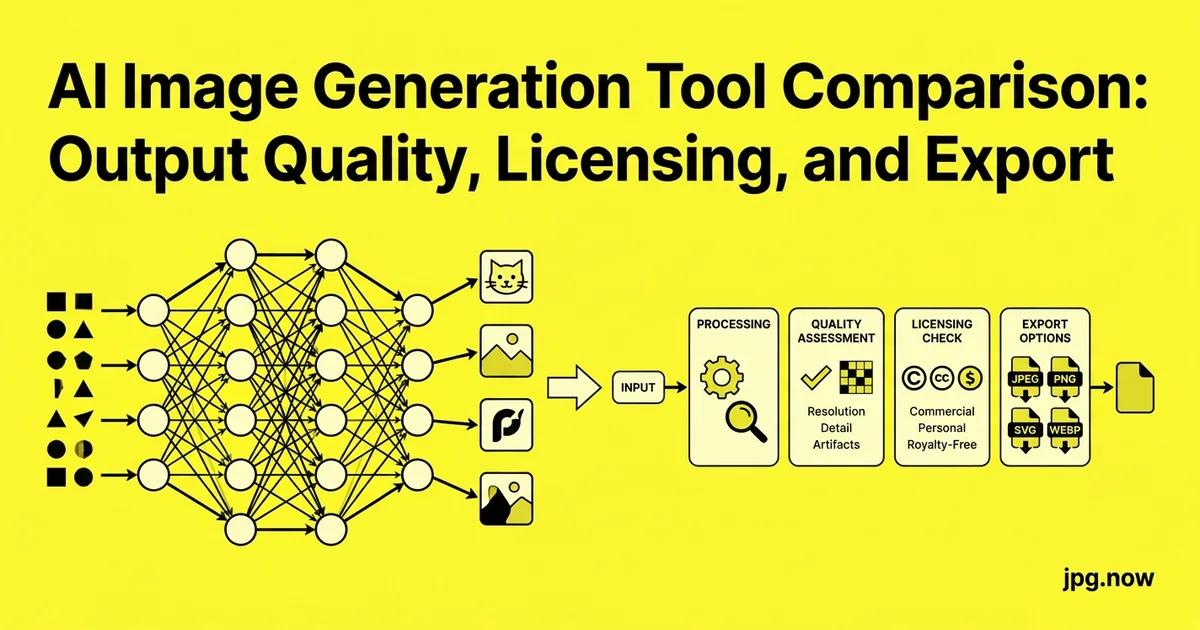
A creative director sends a Slack message at 9:47 a.m.: "Need three options for the spring campaign hero by lunch. Photographic, brand-aligned, no stock-photo energy." You have two hours, four AI image generators in browser tabs, and 12 prompt variations to test before you commit. The question is not "which one makes the best image" because by 2026 all of them do, on their good days. The question is which one matches this specific brief in the time you have. Pick wrong and the lunch deadline turns into an apologetic 2 p.m. follow-up.
Choosing an AI image generator in 2026 is no longer a question of which one produces the best image. All five major platforms Midjourney, DALL-E (via ChatGPT), Stable Diffusion (via Automatic1111, ComfyUI, or hosted services), Ideogram, and Flux produce results good enough to ship for most commercial use cases. The real differences live in JPG export quality, commercial licensing, watermark policy, text rendering, and how they handle the small problems that wreck production pipelines: human hands, brand logos, transparent backgrounds, and consistent characters across multiple images.
What this comparison measures
We ran each platform through the same 12-prompt test set: a hero product shot, three lifestyle scenes, two text-heavy compositions (typography poster, sign in a photograph), three portraits at different stylistic registers, a complex multi-character scene, an architectural exterior, and a flat-illustration social asset. Every output was exported as JPG at the platform's highest available quality and inspected at 200 percent zoom for artifacts, watermarks, and recompression damage.
Midjourney v7
Still the aesthetic leader for stylized work. Lighting, mood, and composition come out of Midjourney with less prompt-engineering effort than any competitor. Weak at text rendering despite improvements typography prompts still produce gibberish 40 to 60 percent of the time. Best at: hero images, mood pieces, illustration-style brand assets, portraits with stylistic flair.
Export: generates at up to 2,048 x 2,048 base, 4,096 x 4,096 with the Upscale (Subtle) variant. Outputs as PNG; convert to JPG using the image converter for client delivery at a known quality. Licensing: commercial use included on Standard plan and above ($30/month). Free trial removed. Watermark: none on paid plans. C2PA: as of late 2026, manifests are embedded by default.
DALL-E (via ChatGPT)
The most reliable text renderer of the bunch, the easiest to iterate with (conversational refinement), and the weakest at photographic realism. DALL-E images look like DALL-E images there is a recognizable look that gives them away in seconds. Best at: typography-heavy work, conceptual diagrams, anything where the prompt itself is the creative work.
Export: 1,024 x 1,024, 1,792 x 1,024, or 1,024 x 1,792 in DALL-E 3; higher resolutions in newer models accessible through ChatGPT Plus/Pro. Outputs as PNG with WebP fallback; convert to JPG for delivery. Licensing: commercial use included for paid users. Watermark: none, but C2PA manifests are embedded.
Stable Diffusion (XL, SD3, Flux, and forks)
The most flexible platform by a wide margin. Self-hosting on a 12 GB+ GPU unlocks LoRA fine-tunes for brand consistency, ControlNet for pose and composition control, and inpaint workflows that no closed platform can match. The cost is a steep learning curve and serious hardware investment. Best at: production pipelines with consistent characters or brand assets, anything requiring style transfer or pose control.
Export: any resolution your GPU can handle, typically 1,024 to 2,048 base with upscaling to 4K via the AI upscaler or built-in upscale nodes. Licensing: open-source weights for SDXL and SD 1.5; Flux Dev has restrictive commercial terms while Flux Schnell is more permissive check the specific model license before commercial use. Watermark: none. C2PA: not embedded by default; add manually if required.
Ideogram 2.0
Built specifically to fix the text-rendering problem and largely succeeds. Reliable typography in posters, logos, product mockups, and social graphics. Aesthetic quality has caught up to Midjourney for design-forward work but still trails for purely photographic prompts. Best at: posters, packaging mockups, anything with words.
Export: up to 2,048 x 2,048. Outputs as JPG and PNG depending on plan. Licensing: commercial use on paid plans. Free tier requires watermark or shared visibility. Watermark: visible "Ideogram" mark on free tier outputs.
Flux (via Black Forest Labs and hosted services)
The newest of the major platforms, released by ex-Stable Diffusion team members. Strong at photographic realism, particularly faces and skin texture. Excellent prompt adherence gets composition right the first time more reliably than Midjourney. Best at: product photography, realistic portraits, anything where the prompt is precise and the result needs to follow it exactly.
Export: 1,024 to 2,048 typical, higher on Pro variants. PNG output. Licensing: tiered by variant Flux Schnell is Apache 2.0 (fully open commercial), Flux Dev is research/non-commercial without a paid license, Flux Pro is API-only. Read the license before shipping. Watermark: none on Pro tier.
Step-by-step: pick the right tool for a brief
- Define the brief in one sentence. "Photographic product hero with brand logo visible" is different from "stylised mood piece for editorial feature."
- Identify the deal-breakers. Text rendering, hands, brand consistency, commercial license.
- Shortlist to two platforms maximum. Running prompts across all five is decision-fatigue without higher quality output.
- Write three prompt variations in clear language, then test all three on each shortlisted platform.
- Compare at 200% zoom for hands, text, edges, and noise floor.
- Check licensing on the specific model variant. Flux Dev catches teams off guard regularly.
- Verify C2PA presence if the client needs provenance documentation.
- Convert the final PNG to JPG through the image converter at quality 92 to 95 for delivery.
Comparison: what teams actually need to ship
Hands and fingers
Flux is most reliable at human hands as of late 2026. Midjourney v7 is close behind. DALL-E and older Stable Diffusion models still produce extra fingers, fused thumbs, and bent joints at uncomfortable rates. Always inspect at 200 percent zoom before delivery.
Text inside an image
Ideogram first, DALL-E second, Midjourney v7 third. Flux and Stable Diffusion remain unreliable unless paired with a typography-specialized LoRA.
Consistent characters across multiple images
Stable Diffusion with a custom LoRA wins by a large margin. Midjourney's Character Reference (cref) feature is the easiest closed-platform alternative but is less precise. Use the image comparison tool to verify character consistency across batches of generated frames.
Transparent backgrounds
All five platforms now offer transparent PNG export. For workflows requiring isolated subjects on a known background, generate normally and run the result through the background remover for cleaner edges than the platforms' built-in cutouts.
JPG quality after export
All platforms produce PNG natively (Ideogram offers JPG directly). Quality of the final delivered JPG depends on your conversion settings, not the platform's. Use the image converter at quality 92 to 95 for delivery and the JPG compressor at quality 80 for web-tier copies.
License watch-outs in 2026
- Flux Dev remains non-commercial without a paid license easy to use accidentally on commercial work
- Stable Diffusion XL is permissive but check the specific checkpoint's license many community fine-tunes inherit additional restrictions
- Midjourney requires the Standard plan ($30/mo) or higher for unambiguous commercial use; lower tiers have ambiguous terms
- Ideogram free tier watermarks output and requires attribution
- DALL-E via ChatGPT grants users full ownership of outputs for paid accounts
The decision matrix
- Hero brand imagery, mood-driven: Midjourney v7
- Typography, posters, packaging: Ideogram 2.0
- Photorealistic product shots: Flux Pro
- Custom characters, brand consistency, pipeline integration: Stable Diffusion (self-hosted, LoRA)
- Conversational ideation, conceptual diagrams: DALL-E via ChatGPT
Common selection mistakes
- Choosing on Twitter highlight reel quality. Cherry-picked outputs misrepresent average results. Fix: test on your own briefs before committing.
- Ignoring license terms until delivery day. Flux Dev shipped commercially is a real risk. Fix: read the license on the specific model variant before generation, not after.
- Using only one platform. Each excels at different briefs. Fix: keep accounts on at least two and route per brief.
- Trusting the platform's built-in upscaler for delivery. Built-in upscalers vary in quality. Fix: run through the AI upscaler for final delivery.
- Delivering PNG instead of JPG for web. 30 MB PNG files clog client inboxes. Fix: convert to JPG at quality 92 for delivery.
- Skipping the C2PA check. Some clients now require provenance documentation. Fix: verify manifest presence before delivery.
Three real-world platform choices
Boutique agency, London. The team uses Midjourney for hero concepting (one designer, fast iteration), Ideogram for any deliverable with text (avoiding the typography failure mode that wrecks Midjourney prints), and Stable Diffusion in ComfyUI for brand-consistent batches over 50 frames. Total platform spend: ~$80/month.
Solo product photographer, Lisbon. Pedro uses Flux Pro exclusively for AI-augmented product shots when the budget does not allow a full studio day. Flux's prompt adherence means he gets close to brief in 3 to 5 generations rather than the 20 to 40 Midjourney would need for the same brief.
Brand design studio, Stockholm. Uses Ideogram for 80% of work because most deliverables include type. Falls back to Midjourney for pure-image hero work where typography is added in Figma afterward. Avoids Stable Diffusion entirely (no in-house ML engineer to maintain it).
Full platform comparison table
| Platform | Aesthetic | Text | Hands | License | Best for |
|---|---|---|---|---|---|
| Midjourney v7 | Excellent | Weak | Good | Standard plan+ | Hero, mood, illustration |
| DALL-E 3 | Distinctive | Strong | Weak | Paid ChatGPT | Concepts, diagrams |
| Stable Diffusion XL | Variable | Weak | Variable | Permissive | Pipelines, batches |
| Ideogram 2.0 | Strong | Excellent | Good | Paid plans | Typography, posters |
| Flux Pro | Photorealistic | Moderate | Excellent | API only | Product, portraits |
| Flux Schnell | Photorealistic | Moderate | Good | Apache 2.0 | Commercial-safe open |
Advanced techniques for serious users
- Multi-platform pipelines use Midjourney for concept, Stable Diffusion for replication at scale via IP-Adapter or LoRA.
- Prompt libraries with versioning save every successful prompt in a Git repo so the team can reuse and iterate.
- Style reference images in Midjourney's --sref parameter, IP-Adapter in Stable Diffusion, and similar features in Flux to anchor style without re-prompting.
- Negative prompts still matter on Stable Diffusion and Flux; Midjourney v7's --no parameter is weaker.
- Seed control for reproducibility save seeds with successful outputs so you can revisit and refine.
- Upscale with the AI upscaler as a second pass for delivery resolution.
- Cross-platform style transfer generate with Midjourney, train a small LoRA on the output, generate at scale on Stable Diffusion.
The 30-minute evaluation protocol
- Build a 12-prompt test set that matches your real work
- Run identical prompts on each candidate platform
- Export everything as PNG, then convert to JPG at quality 92
- Inspect at 200 percent zoom for hands, text, edges
- Check licensing on the specific model variant you used
- Verify C2PA manifest status if your client requires provenance
Frequently asked questions
Which platform is best overall in 2026?
There is no overall best; each excels at a different category of brief. The honest answer: pick the right tool per project and budget for accounts on at least two platforms.
Can I use AI-generated images commercially?
Depends on the platform and plan. Midjourney Standard+, DALL-E paid, Ideogram paid, Flux Schnell (Apache), and most Stable Diffusion XL checkpoints are fine. Flux Dev is not without a paid license. Always check the specific model variant.
How do I verify an AI image is from a specific platform?
Check the C2PA manifest with contentcredentials.org. When present, it documents which model produced the image. Absence is uninformative because many tools strip manifests.
What is the best resolution to generate at?
Generate at the platform's native sweet spot (typically 1,024 to 2,048) then upscale via AI upscaler or built-in tools for delivery. Native generation at 4K usually produces worse composition than generate-then-upscale.
Should I deliver PNG or JPG to clients?
JPG at quality 92 to 95 for most deliveries. PNG only when transparency is required or the client specifically asks. Convert via the image converter.
How do I keep brand-consistent characters across multiple images?
Stable Diffusion with a custom LoRA trained on 10 to 30 reference images. Midjourney's --cref is the easiest closed-platform alternative but less precise.
Is there a way to use AI generation without subscriptions?
Yes: self-host Stable Diffusion or Flux Schnell on a 12 GB+ GPU. Hardware cost is the trade-off but per-image cost is electricity only.
Working with art directors and creative directors
The creative-services workflow around AI generation has matured. Art directors increasingly write prompts at a brief level ("photographic kitchen scene, late afternoon light, copper and brass tones, single human hand reaching for a copper pot") and expect the implementing designer to choose the platform that best matches the brief. The conversation about "which platform" happens at the kickoff, not at the deliverable stage. Junior designers used to bring back "the best image I could get" without acknowledging the tool choice; senior designers now bring back two or three options from different platforms with notes on tradeoffs.
The vocabulary has also shifted. Briefs reference Midjourney aesthetic, Flux realism, Ideogram typography as shorthand for visual targets. A designer who understands the vocabulary can communicate with art directors about what is achievable in the given timeframe and budget.
How AI image generation interacts with stock photography
The economics of stock photography shifted sharply in 2025 and 2026. Adobe Stock, Shutterstock, and Getty all now offer AI-generated content alongside traditional stock. Pricing tiers and licensing differ significantly: Getty's Generative AI service is enterprise-licensed and indemnified against IP claims; Adobe's Firefly assets carry similar protection at lower price points; Shutterstock's AI service offers contributor payouts based on training data provenance.
For commercial work where IP indemnification matters (large brands, regulated industries), the enterprise stock AI services are often safer than self-generation despite higher cost. For most other work, self-generated assets via Midjourney or Stable Diffusion remain more cost-effective and produce more brief-specific results.
Provenance and disclosure in 2026
Several jurisdictions now require disclosure of AI-generated content in commercial contexts. The EU AI Act, California's AB-2655, and similar legislation in Brazil, the UK, and South Korea impose varying disclosure requirements ranging from visible labels to embedded C2PA manifests. Production workflows that target multiple markets need to handle the most restrictive set of requirements, which in practice means embedding C2PA Content Credentials in every delivered file.
Most of the major platforms now do this by default. Midjourney embeds C2PA on paid tiers, DALL-E embeds via ChatGPT integration, Adobe Firefly embeds on every output. Stable Diffusion does not embed by default; pipelines need to add the manifest manually via c2patool or similar before delivery. Skipping this step on assets headed to a regulated market is a real legal risk.
Iteration speed and the cost of indecision
A pattern that wastes more hours than any other on AI projects is endless prompt refinement. The designer generates 60 variations across three platforms, cannot decide which is best, generates another 40, asks the art director, generates another 40 based on feedback, runs out of budget. The discipline that saves time is the 20-image rule: generate 20 variations across at most two platforms, pick the best three within 30 minutes, present those three to the art director, accept the chosen one and move forward.
If none of the 20 are usable, the problem is the brief, not the prompt. Reconvene with the art director, sharpen the brief, then generate another 20. Each "another 20" without a brief change rarely produces a meaningfully better result.
Most production teams end up using two platforms in tandem: one closed for fast hero work and one self-hosted Stable Diffusion or Flux setup for repeatable pipelines. Generate the hero in Midjourney or Flux, refine the typography in Ideogram, run the upscale through the AI upscaler for delivery resolution, and convert the final PNG to a clean JPG through the image converter. The tools index covers the rest of the post-generation chores including the background remover, JPG compressor, and comparison tool. Run the protocol once with your actual work, not a generic test set, and the right platform will reveal itself within an afternoon.