
Lossless JPG Modes Explained: JPEG-LS, JPEG XT, and Why You Rarely See Them
You are restoring a 1960s family photo. The scan came in as a TIFF, the retouching is going well, and you need to send a working copy to your sibling for review. JPG seems wrong because every save would chew away a bit of detail. PNG seems wasteful for a continuous-tone photo. Someone on a photography forum mentions "lossless JPEG" and you start wondering whether there is a JPEG mode that does not throw pixels away. Turns out the answer is "yes, several, and you have probably never used any of them."
This is a tour of the lesser-known JPEG family members, what each was actually built for, where they survive today, and why baseline lossy JPEG still wins for most everyday work. By the end you will know whether JPEG-LS, JPEG 2000, JPEG XR, JPEG XT, or the new JPEG XL belongs in your workflow, and you will have a clear decision tree for picking the right format for any given lossless need.
Background: the JPEG standard is much bigger than the .jpg you know
The Joint Photographic Experts Group is a working committee, not a single format. Since 1992 the group has published a steady stream of standards under the JPEG umbrella: baseline (1992), lossless (1993), JPEG-LS (1999), JPEG 2000 (2000), JPEG XR (2009), JPEG XT (2014-2017), and most recently JPEG XL (2021). Each was designed to fix a specific limitation of its predecessors. Almost none replaced baseline because the cost of changing every encoder, decoder, browser, and operating system in the world is higher than the engineering wins of the new format.
Baseline JPEG: the one everyone calls JPG
Baseline sequential JPEG, defined in the 1992 standard, is the lossy format you know. It uses an 8x8 discrete cosine transform, quantization tables that you can tune through a quality slider, and Huffman entropy coding. The format is fast to decode, ubiquitous, and lossy on every save. Almost every JPG to PNG or PNG to JPG conversion you have ever done is dealing with baseline JPEG on the JPG side.
Lossless JPEG (the original 1993 lossless mode)
The 1993 JPEG standard included an optional lossless mode using predictive coding rather than DCT. It survived in niche scientific and medical imaging but was effectively replaced by JPEG-LS. Hardly any modern decoder supports it, and you will only encounter it inside DICOM medical archives from the 1990s.
JPEG-LS: the actual lossless winner inside the family
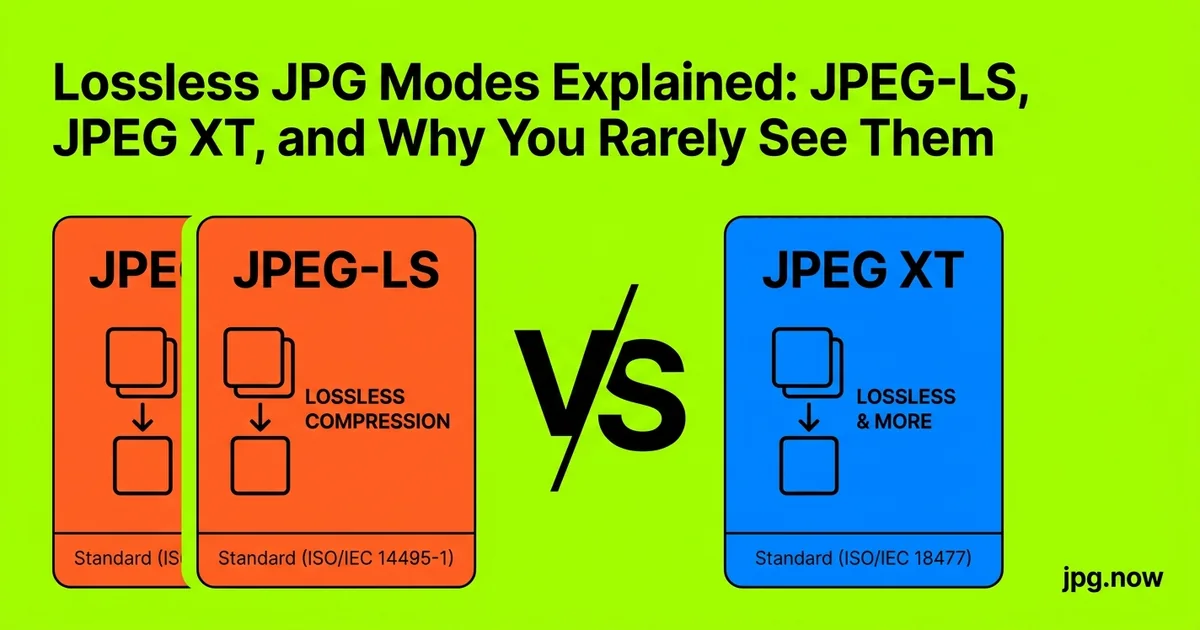
JPEG-LS, standardized in 1999, uses a context-based predictive coder called LOCO-I. It produces files about 60 to 70 percent the size of PNG for the same image, runs much faster than PNG decode, and supports near-lossless modes that allow a fixed maximum error per pixel. The catch is that almost no consumer software reads it. JPEG-LS lives in medical imaging (DICOM ships with a JPEG-LS transfer syntax) and a few aerospace and satellite pipelines.
JPEG 2000: technically superior, commercially marginal
JPEG 2000 uses wavelets instead of DCT and supports both lossy and lossless modes. It is dramatically better at low bitrates, supports massive resolutions cleanly, and handles 16-bit color depth. We have a separate piece on why it lost the format war. Today it lives in digital cinema (DCP packages), medical imaging, and archival workflows. You will rarely see it as a `.jp2` file in a normal user workflow, but archives and law enforcement still depend on it.
JPEG XR: Microsoft's HD Photo, mostly dead
JPEG XR, originally called HD Photo, was Microsoft's 2009 push for a better JPEG with high dynamic range and lossless modes. Internet Explorer supported it, the rest of the web did not, and the format quietly faded. It is still in a few niches, including some Windows-only photo workflows and certain Office document image embeds, but no one specs it for new work.
JPEG XT: backward-compatible HDR layered on baseline
JPEG XT, finalized between 2014 and 2017, extends baseline JPEG with optional layers for high dynamic range, alpha channels, and lossless coding while remaining readable as baseline JPEG by any legacy decoder. The layered design is elegant: old viewers see a tone-mapped baseline image; new viewers see the HDR. Despite the elegance, support outside specialty tools is essentially zero in 2026.
JPEG XL: the modern attempt
JPEG XL is the most serious recent attempt at a new JPEG. It supports lossless re-encoding of existing JPEGs at 20 percent smaller size, native HDR, animation, and quality competitive with AVIF. Firefox enabled it in 2024, Safari followed, and Chrome has flagged support. JPEG XL may finally be the lossless JPEG-family member that gets mainstream traction. If you want to compare formats, our compare tool and image info inspector show file size and quality differences clearly.
Comparison: lossless options across formats
| Format | Lossless? | Compression vs PNG | Browser support 2026 | Best use |
|---|---|---|---|---|
| Baseline JPEG | No | N/A (lossy) | Universal | Everyday photos |
| PNG | Yes | Baseline | Universal | Graphics, UI, screenshots |
| TIFF (LZW) | Yes | ~110-130% | None | Archive masters |
| JPEG-LS | Yes | ~60-70% | None | Medical, satellite |
| JPEG 2000 lossless | Yes | ~70-80% | Safari only | Cinema, archives |
| WebP lossless | Yes | ~75-85% | Universal | Web graphics |
| JPEG XL | Yes | ~50-65% | Firefox, Safari | Future-facing web |
Step-by-step: picking the right lossless format
- Identify the constraint. Web delivery, archival storage, or specialized workflow?
- Check the destination's accepted formats. Browsers, CMSes, and archival systems each have different lists.
- Compare file sizes. Encode the same source in two or three candidate formats and inspect with our image info tool.
- Test decode speed. Open the file in the destination viewer. Slow decode is a real cost on mobile or older hardware.
- Verify pixel-exact equality. Decode back and diff against the source. Any non-zero delta means the format was not truly lossless or your tool re-encoded with loss.
- Document the choice. Future maintainers should know why you picked that format.
- Plan migration. If you picked a niche format, plan how you will move to the next standard when it becomes inevitable.
Why lossy baseline still wins for the open web
The honest answer is inertia plus "good enough." Baseline JPEG compresses photographic content to one-tenth of the bitmap size at quality 85 with artifacts most viewers cannot see at normal viewing distance. The decoder is in every browser, every camera firmware, every operating system. A 15 percent file-size win from JPEG-LS or JPEG XL does not justify the deployment cost of teaching every piece of software in the chain about a new format. Until WebP and AVIF reached near-universal browser support around 2023, every challenger had the same problem.
When you actually need lossless
For archival, medical, scientific, and high-end retouching workflows, lossless matters because successive saves compound losses. The pragmatic 2026 choice for general lossless storage is PNG for graphics, TIFF for archival photography, and JPEG XL where supported. Reserve JPEG-LS for medical pipelines that already speak DICOM. Avoid JPEG XR and JPEG XT for new work.
The patent ghost that hung over the family
One reason the JPEG family is full of unfamiliar variants is that nearly every push to extend the standard between 1998 and 2010 ran into licensing concerns from one company or another. JPEG 2000 had Forgent and other claims that took years to clear. JPEG XR carried Microsoft's IP that competitors did not want to license. Even baseline JPEG had a famous Forgent lawsuit in the early 2000s that was eventually dismissed but spooked vendors. JPEG XL deliberately launched as royalty-free, which is one of the reasons it has a real chance where its predecessors did not.
Common mistakes (and how to fix them)
- Mistake: thinking "lossless JPEG" means baseline JPEG at quality 100. Baseline at q100 is still lossy because of chroma subsampling and quantization. Fix: use true lossless modes (JPEG-LS, JPEG XL, or PNG).
- Mistake: converting to PNG to "preserve quality" on a photo. PNG produces enormous files on continuous-tone photos. Fix: use TIFF, JPEG-LS, or JPEG XL for photos requiring lossless.
- Mistake: assuming JPEG 2000 is widely supported. It is not. Fix: confirm decoder support in every destination before specifying it.
- Mistake: re-saving baseline JPEG repeatedly thinking quality stays the same. Each save loses a small amount. Fix: edit on the source, export to JPEG once at the end.
- Mistake: using JPEG XR for archival. Fix: use TIFF or JPEG XL; XR is a dead end.
- Mistake: relying on a single format for both archive and delivery. Fix: keep a lossless master (TIFF/JPEG XL) and generate lossy delivery copies (JPG/WebP) on demand.
Real-world examples
Library of Congress digitization. Master scans in uncompressed TIFF at 600 DPI, derivative access copies in JPEG 2000 for the public IIIF viewer, and JPG thumbnails for catalog browsing.
Mayo Clinic radiology PACS. CT and MRI image series stored in DICOM-wrapped JPEG-LS for true lossless compression at roughly half the file size of PNG, with on-the-fly conversion to JPG for the referring-physician viewer.
Open-source photo workflow. Many photographers now use DNG as the lossless RAW master and JPEG XL where supported for shareable lossless derivatives, falling back to JPG for sites that do not yet accept XL.
Advanced tips
- Test JPEG XL today with `cjxl` and `djxl`. The reference encoder/decoder run on every major OS and let you benchmark file sizes against your actual content.
- Use lossless WebP for web graphics. Smaller than PNG, universally supported, and a quick win for icons and screenshots.
- Encode JPEG XL from existing JPEGs. JPEG XL has a "lossless transcode" mode that re-encodes an existing JPG into an XL with no quality loss and about 20% smaller file. Perfect for archive migration.
- Avoid mixing lossless and lossy in the same pipeline. Any lossy step downstream defeats the upstream lossless precision.
- Inspect with image info to confirm the file is truly the format you think it is.
- Compress masters anyway. Even lossless formats benefit from optimization passes (e.g., `pngquant` --speed 1, `cjxl` --effort 9).
- Plan for JPEG XL adoption. Browser support is rolling out. Be ready to switch web archives over when Chrome ships it stable.
FAQ
Is "lossless JPEG quality 100" actually lossless?
No. Baseline JPEG at quality 100 still uses DCT quantization and (typically) chroma subsampling. Some bits are still discarded. True lossless requires a different mode entirely.
Can I convert a baseline JPEG to lossless without losing quality?
You can transcode JPG to JPEG XL losslessly. You cannot recover information that baseline JPEG already discarded by going to PNG or TIFF; you just stop losing more.
Why is PNG so big on photos?
PNG uses DEFLATE compression, which excels at flat color regions and graphics but does poorly on the noisy, continuous-tone content typical of photos. Other lossless formats (JPEG-LS, JPEG XL) compress photos far better.
Should I use JPEG XL today?
For archive masters where you control both ends: yes. For public web delivery: not yet (Chrome support pending). For internal pipelines: increasingly yes.
What's the difference between near-lossless and lossless?
Lossless gives bit-exact reconstruction. Near-lossless allows a fixed maximum error per pixel (often 1-2 levels out of 256), which compresses better but is not truly bit-exact.
Does TIFF lossless work everywhere?
TIFF is universal in print and archive workflows but has zero browser support. It is a storage format, not a delivery format.
What about DNG?
DNG is Adobe's lossless RAW container. Great for camera RAW archives, not directly comparable to delivery formats like JPEG XL.
Format chains in production
Real production pipelines rarely use a single format from capture to delivery. A typical chain: camera RAW (lossless capture) to TIFF (working master) to PSD or Photoshop document (editing) to JPEG XL or PNG (lossless intermediate for archival) to baseline JPEG and WebP (lossy delivery). Each transition is a deliberate choice between preserving fidelity and reducing file size. Understanding which formats sit where in the chain is more useful than memorizing format trivia.
The history that explains the present
Knowing why the JPEG family looks the way it does helps explain present-day choices. The 1992 baseline standard was a compromise across roughly 40 companies, designed around 1980s computing constraints (8-bit color, kilobyte-scale RAM, dial-up internet). Every subsequent extension tried to fix what 1992 could not anticipate: HDR (XR, XT, XL), lossless (LS, 2000, XL), and progressive web delivery (2000, XL). The problem each new extension faced is that "everyone already supports the old version" beats "this is technically better" almost every time. Adoption only happens when a major platform forces the issue.
What WebP and AVIF did differently
WebP and AVIF succeeded where JPEG 2000 failed not because they are better codecs (debatable) but because Google was willing to bundle them into Chrome, Android, and YouTube as a unilateral platform decision. The JPEG 2000 effort relied on consensus across browser vendors and ran aground. Google's WebP push created a fait accompli: support it or fall behind Chrome's optimization. AVIF benefited from the same dynamic combined with the AV1 video codec's momentum. Future contenders to JPEG (JPEG XL specifically) will rise or fall on whether a major platform makes a similar unilateral commitment.
Color depth: where lossless really shines
Baseline JPEG is 8-bit per channel. If you work in 10-bit, 12-bit, or 16-bit color (cinema, HDR photography, scientific imaging), baseline JPEG cannot represent your source. JPEG-LS supports up to 16 bits. JPEG 2000 goes to 38 bits. JPEG XL supports HDR natively. TIFF supports 16-bit and 32-bit float. The choice of lossless format becomes a choice of color depth. If you do not need more than 8 bits, baseline JPEG at quality 90+ usually suffices; if you do, you need a real lossless format.
Decoder availability in 2026
Decoder availability is the practical constraint that beats theoretical superiority every time. PNG and baseline JPEG decode everywhere. TIFF decodes in every desktop tool and zero browsers. JPEG 2000 decodes in Safari only among browsers. JPEG XL decodes in Firefox and Safari, with Chrome flagged. WebP lossless decodes universally. AVIF decodes in ~95% of browsers. Pick based on where the file will be read, not based on which format is technically best on a benchmark.
Migration paths from legacy lossless
If you inherit a collection of JPEG 2000, JPEG-LS, or JPEG XR files, the migration question is whether to re-encode to JPEG XL or to TIFF for long-term preservation. Re-encoding lossless-to-lossless is safe (no quality loss), so the trade is purely file-size and tool compatibility. TIFF is the safest long-term bet for archives because it has 35 years of tool support and no future deprecation risk. JPEG XL is the smallest-file modern choice. Pick TIFF for institutional archives, JPEG XL for working pipelines.
Quick decision guide
If you need a small lossy photo, use baseline JPEG. If you need lossless and need wide compatibility, use PNG or TIFF. If you need lossless and want the smallest file with modern decoders, use JPEG XL. If you are touching medical imaging, use whatever DICOM mandates. For anything else, the lesser-known JPEG modes are interesting trivia more than practical tools. Browse our image converter, JPG compressor, and the rest of the tools to handle the formats you will actually encounter day to day.
For the next archival job, try transcoding one JPG to JPEG XL with `cjxl` and compare file sizes with our inspector. The 20 percent win compounds across a 10,000-image collection. And when you need a lossy delivery copy from a lossless master, JPG compression at quality 85 still hits the sweet spot for most uses.