
How Photographers Are Using AI Face Swap for Serious Creative Work
Portrait photographers are turning to AI face swap for casting mockups, stand-in headshots, and family portrait restoration. Here's the creative case for it.
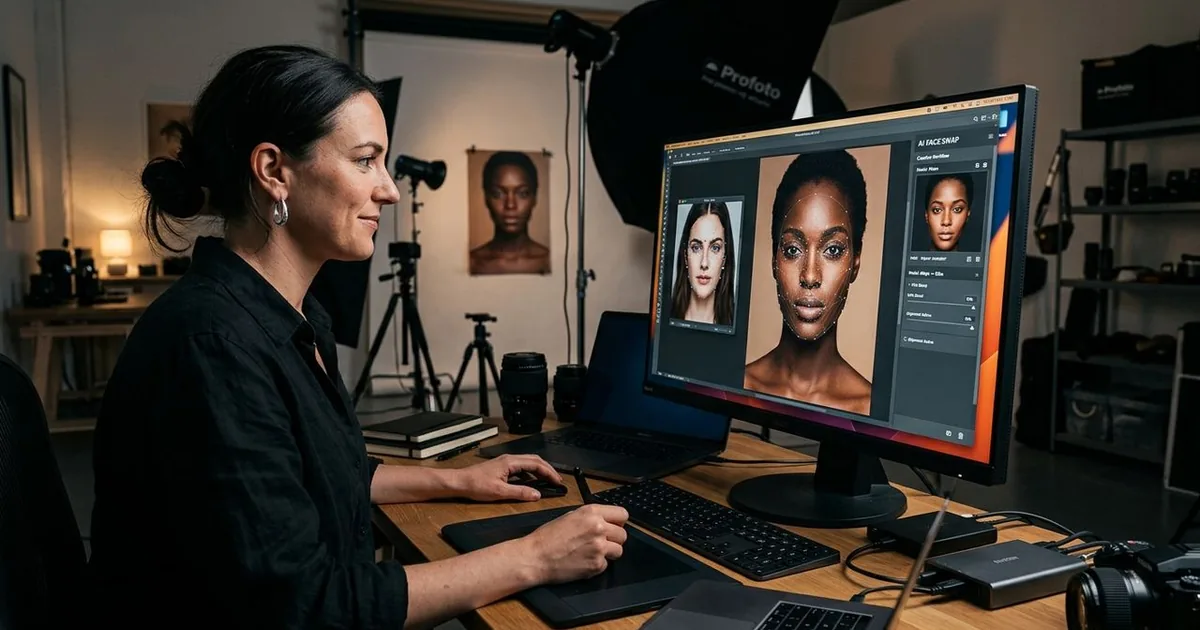
Portrait photographers have always pushed the boundaries of what a camera can capture. Now a new category of AI tools is changing the pre-shoot and post-shoot workflow in ways that would have seemed impossible ten years ago. This is not about cheap internet tricks. It is about working photographers finding practical, ethical uses for face technology that saves time, wins client approvals faster, and recovers memories that would otherwise be lost forever.
Key Takeaways:
- AI face swap tools differ from manual compositing because the model handles lighting, skin tone, and edge blending automatically
- Portrait photographers use face technology to create casting mockups for client approvals before any shoot takes place
- Stand-in headshots generated with AI help photographers pitch concepts to clients without full production costs
- De-aging effects are being used for family portrait restoration and memorial tribute projects
- Written consent and full transparency with every subject are non-negotiable in professional creative use
What AI Face Swap Actually Does (And Why It Matters to Photographers)
Manual compositing, the kind done in Photoshop for the past three decades, involves cutting a face from one image and layering it into another. The result depends entirely on the photographer's skill, the quality of the masks, and how carefully the lighting is matched. A decent composite can take hours. A great one can take days.
AI face swap works differently. The model analyzes both the source face and the target image, then synthesizes skin tone, lighting direction, shadow placement, and edge blending in seconds. The output is not a paste job. It is a generated result that accounts for context a photographer would otherwise have to recreate manually, pixel by pixel.
According to the Wikipedia entry on deepfakes, this technology uses generative adversarial networks and encoder-decoder architectures originally developed for video, later adapted for single-frame photography. Understanding that background helps photographers approach the tool with the precision it deserves, rather than treating it as a novelty filter.
Casting Mockups Before Shoot Day: The Approval Workflow That Changes Everything
One of the most practical uses in professional portrait work is the casting mockup. Advertising photographers, brand photographers, and editorial teams often need to show a client what a finished image might look like before committing to a model booking, a location fee, and a full production day.
Traditionally that meant rough mood boards made from stock images, which rarely matched the actual brief closely enough to be convincing. With AI face technology, a photographer can:
- Pull a reference image that matches the desired lighting setup, wardrobe, and setting
- Drop a placeholder or client-approved talent face into that reference
- Present something visually close to the intended result before any money moves
- Collect specific feedback on framing, background, and expression in a single round
This compresses the approval cycle significantly. Clients respond faster when they see something concrete rather than a collage of inspiration images with a verbal explanation attached.
Stand-In Headshots and Pre-Production Concepting
Headshot photographers face a slightly different challenge. Clients often want to see what a shoot might produce before they commit, but organizing a test shoot costs time and money for both sides.
AI face tools let photographers create plausible stand-in headshots by combining a client's existing photo with a professionally lit reference frame. These are not final deliverables. They are conversation starters that help clients understand:
- What lighting direction will suit their features
- Whether a neutral background or a context-specific setting works better for their industry
- How post-processing choices like skin tone and cropping will affect the final image
This is especially useful for actors, corporate clients, and LinkedIn headshot bookings where the client has a specific outcome in mind but cannot describe it clearly in words. Showing them a rough visual concept closes that gap without a single shutter click.
Restoring Old Family Portraits with Age-Aware AI
Family portrait photographers increasingly receive requests to restore damaged or aged photographs. Grandparents want clean prints of wedding photos from fifty years ago. Families want a sharp portrait of a relative who passed away before modern cameras were common.
This is where AI age effects come into the workflow. An age filter can move a face forward or backward in time with convincing results, which has become genuinely useful for two distinct types of projects.
The first is pure restoration: taking a blurry, faded photograph of a younger family member and producing an image that shows how they might look closer to the age they are now, so the family can see a continuous visual story across generations.
The second is memorial and entertainment content. Families producing tribute videos or memorial slideshows sometimes want a cohesive visual style across decades of photographs. Adjusting the apparent age of subjects so the images feel consistent is a legitimate creative choice that many portrait photographers are now offering as a premium add-on service.
Research on the history of photo manipulation shows that altering photographs for aesthetic, memorial, and artistic purposes has existed as long as photography itself, which provides useful professional context when clients ask whether these techniques are appropriate for serious work.
The Ethics Layer Every Portrait Photographer Needs
Using AI face technology professionally means having a clear ethics policy before opening any tool. This is not optional. It is the difference between a creative service and a professional liability.
Responsible practice means:
- Getting explicit written consent from every subject whose face is used, even in mockup or concept work
- Being transparent with clients about which images in a presentation are AI-assisted concepts rather than final photography
- Never using someone's face in a project without their awareness and approval, even for internal use
- Retaining the original, unaltered files alongside any AI-generated versions for the duration of the client relationship
Most professional photography associations have begun publishing guidance on AI use. Following that guidance protects the photographer, the subject, and the long-term client relationship.
AI Face Swap vs. Manual Compositing: How They Compare
| Factor | Manual Compositing | AI Face Swap |
|---|---|---|
| Time to complete | 2 to 8 hours | 1 to 5 minutes |
| Skill level required | Advanced | Beginner to intermediate |
| Lighting match accuracy | Depends on the operator | Automated |
| Best use case | Final production retouching | Concepting and restoration |
| Output quality ceiling | High (lossless workflow) | Varies by tool and resolution |
How This Fits Into a JPG-Centric Portrait Workflow
Portrait photographers working with JPEG files at the output stage will find that AI face tools typically accept and export JPEGs natively, which keeps the workflow clean. The practical process looks like this:
Start with a high-resolution JPEG of the source face and a similarly sharp target image. Run the face swap. Review the output at 100 percent zoom before presenting it to a client or including it in a restoration project. Then export the final compressed JPEG at the appropriate quality setting for the intended delivery format, whether that is print, web, or social media.
The compression step matters more than many photographers realize. Over-compressing an AI-generated face can introduce banding artifacts around synthesized skin edges, especially in shadow areas. Running the output through a JPEG quality check before delivery catches these issues before the client sees them.
Where This Takes Portrait Photography from Here
AI face tools are no longer a novelty layer on top of photography workflows. They are becoming a legitimate part of pre-production planning, client communication, and archival restoration. Photographers who understand how the technology works, where it produces strong results, and where it still needs a skilled human eye are positioning themselves to offer services that were not on anyone's price list just a few years ago.
The photographers doing this well are not replacing their craft. They are extending it. They are using AI to handle the time-consuming scaffolding work so their judgment can stay focused on what actually matters: the final image that earns the client's trust and tells the story they hired a photographer to tell.